
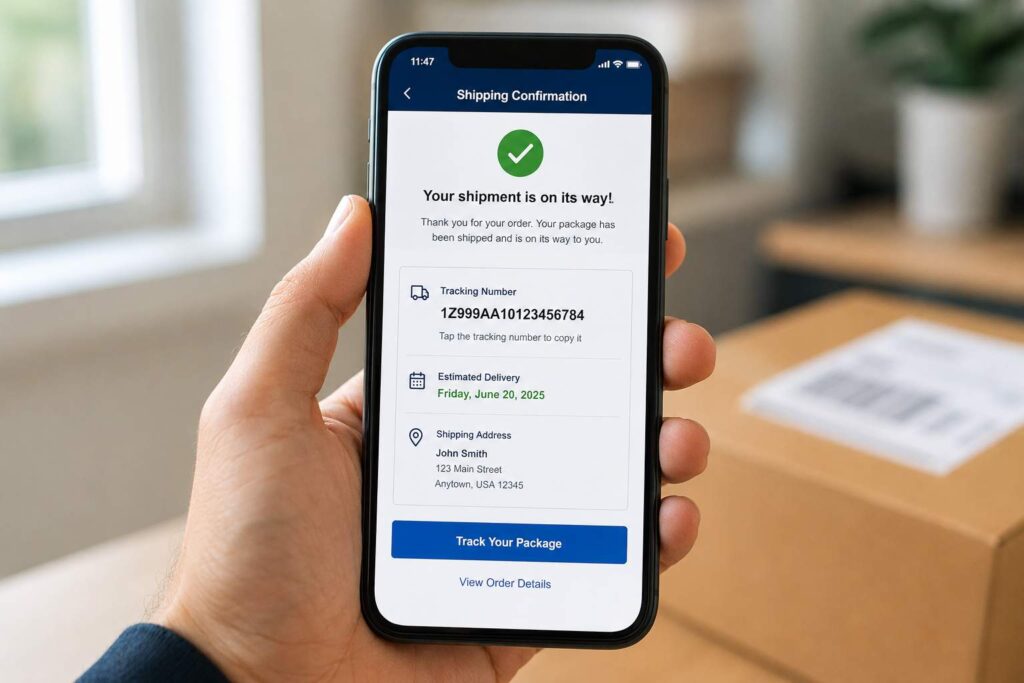
Why Doesn’t My Tracking Number Work Yet After I Just Bought Something?
A tracking number that shows “no information available,” “pre-shipment,” or “label created” right after you buy something almost always means the carrier has only received the shipping details electronically, not the actual package yet. This is completely normal in the first few hours to a couple of days after purchase, and it resolves on its own once the carrier physically scans the package into their system, so there is usually nothing wrong with the number itself.
What Actually Happens the Moment You Buy Something
When a seller ships an order, the first thing that happens is almost always digital, not physical. The seller prints a shipping label, which generates a tracking number and uploads the shipment’s details, including your address, the weight, and the service level, to the carrier’s system. That step alone is enough for the tracking number to exist and to be handed to you in a confirmation email, but it does not mean the carrier has the box in hand yet.
The package itself typically still needs to be picked up by the carrier or dropped off at a facility, and only once it is physically scanned does the tracking page update to reflect real movement. Until that first scan happens, you are looking at a placeholder status, not a broken tracking number.
What the Different “Not Yet Scanned” Statuses Actually Mean
Each major carrier uses slightly different wording for this same pre-pickup stage, which can make it feel like something different is happening depending on who shipped your order.
USPS displays this as “Pre-Shipment,” meaning the mailer has created the label and told USPS a package is coming, but USPS has not yet taken physical possession of it. According to shipping guides that track this status closely, packages can sit in Pre-Shipment for a matter of hours or, in slower cases, for several days before the first real scan appears.
UPS shows “Label Created” for the same underlying situation, a label has been generated and payment processed, but no physical scan has happened. Most UPS shipments move from Label Created to an actual pickup or origin scan within 24 to 48 hours of the label being generated, so a full day of no movement right after buying something is well within normal range.
FedEx uses similar language, most often “Shipment information sent to FedEx,” which likewise reflects that FedEx has the electronic manifest but has not yet scanned the physical box. The pattern across all three carriers is the same: label first, physical scan second, and a real gap in between is expected rather than a sign of a problem.
Why Marketplace Orders Can Behave Differently
Where you bought something also changes how quickly a tracking number becomes useful. On Amazon, a first-party or Prime order usually gets a working tracking link within a few hours of shipping confirmation, since Amazon’s own fulfillment network scans packages quickly and feeds that data straight into your order page. A third-party seller order on the same site can behave very differently, since that seller may not generate and hand off the label to the carrier for a day or more after you see “shipped” on your order page, which is a common source of confusion since the site itself implies the package is already moving.
eBay and independent Shopify stores tend to fall somewhere in between, largely depending on how quickly the individual seller processes and drops off orders rather than on any platform-wide standard. A useful habit on any marketplace is to check whether the page is showing the seller’s own “shipped” status or an actual carrier tracking link, since those are not always the same thing, and a “shipped” label on an order page does not guarantee the carrier has scanned anything yet.
For example, a buyer who orders a phone charger from a third-party Amazon seller on a Tuesday might see “Shipped” on their order page that same afternoon, but the actual UPS tracking number attached to it might not show a real scan until Wednesday or Thursday, once the seller has physically handed the package to a UPS driver or drop-off location. The order page and the carrier’s tracking page are pulling from two different systems that do not always update in sync.
Why the Number Sometimes Seems to “Not Work” at All
Beyond the normal pre-scan waiting period, a tracking number can also appear broken for a few other ordinary reasons that are worth ruling out before assuming something has gone wrong.
- Typos when entering the number. Tracking numbers are long strings of numbers and letters, and a single mistyped character, especially one copied by hand from an email instead of pasted directly, will show as invalid even though the real number works fine.
- Checking the wrong carrier’s website. A tracking number format can look similar across carriers, and entering a UPS number on the USPS site, or vice versa, will return an error that looks like the number itself is broken.
- International orders take longer to appear. Packages shipped from overseas sellers, particularly from Chinese marketplaces, often do not show any tracking activity for four to five days or more after purchase, since the number has to move through an origin carrier, international processing, and a domestic carrier handoff before it becomes visible on a single tracking page.
- Browser or app caching issues. Occasionally a tracking page will keep showing an old cached result. Clearing the browser cache or trying a different device can rule this out before you assume the number itself is the problem.
For example, someone who orders a phone case from an overseas seller on a Monday might not see any tracking movement until Thursday or Friday, even though the tracking number worked correctly the entire time. The gap reflects the real logistics chain the package has to move through, not a data entry or system error.
How Long Is Actually Normal to Wait
As a general guideline across carriers, waiting 24 to 48 hours after a shipping confirmation email before worrying is reasonable for most domestic orders. If a full 2 to 3 business days pass with the status still stuck on a pre-scan message like “Label Created” or “Pre-Shipment,” it becomes reasonable to follow up, since that typically means the seller printed the label but has not yet actually handed the package to the carrier.
International orders warrant more patience, since four to five days of no visible movement is common and does not necessarily indicate a problem until that window has clearly passed with no update at all.
It also helps to factor in when the order was placed relative to a weekend or a major shipping holiday. A label generated on a Friday afternoon often will not see a first scan until Monday, simply because many carrier pickup and processing schedules slow down or pause over the weekend, and that same one-to-two day gap can stretch even longer around Thanksgiving, Christmas, or other high volume shipping periods when carriers are absorbing far more package volume than usual.
What to Do If the Number Still Isn’t Working
If you have double checked the number for typos, confirmed you are on the correct carrier’s tracking page, and waited past the normal pre-scan window for your shipping method, the most effective next step is contacting the seller directly rather than the carrier. The seller can confirm whether the package was actually dropped off or picked up, since carriers generally cannot provide more information than what is already showing in tracking until a shipment is meaningfully overdue relative to its service level.
If the seller confirms the package was shipped days ago and the tracking status still has not updated at all, that is the point where contacting the carrier directly, with the tracking number and shipment date in hand, becomes worthwhile. Have your order number and the exact date you were told the package shipped ready before you call or start a chat, since both USPS, UPS, and FedEx representatives will generally ask for that information before they can look into a shipment that has not yet been scanned into their system.
In the rare case where a seller cannot produce any tracking number at all, or the number they gave you does not match the format used by the carrier they claim to have shipped with, that is a different and more serious situation than a simple pre-scan delay, and it is reasonable to ask directly for proof of shipment or to consider a refund request through your payment provider if the seller cannot resolve it.
Frequently Asked Questions
Is it normal for a tracking number to show nothing the same day I order something? Yes. Most tracking numbers exist as soon as a label is created, before the carrier has physically received the package, so no information showing up on the same day is expected, not a sign of an error.
How long should I wait before contacting the seller about a tracking number that isn’t updating? For domestic orders, 2 to 3 business days past the shipping confirmation is a reasonable point to check in. For international orders, waiting closer to a week is more realistic before assuming something is wrong.
Can a tracking number just not work due to a typo? Yes, this is one of the most common reasons a real, valid tracking number appears broken. Double check the number against your confirmation email, and make sure you are searching it on the correct carrier’s website.
Does “Label Created” mean my package was lost? No. It simply means a shipping label was generated and the carrier has been told to expect the package, but has not yet physically scanned it. This is the earliest possible stage of shipping, not a sign of loss.
On a side note, if you are the one responsible for logging and tracking packages for other people, such as a mailroom, apartment complex, or business receiving area, a system that automatically captures each package the moment it actually arrives can make questions like this far easier to answer, which is the kind of thing package tracking software is built for.
