
What Do Common Package Tracking Statuses Like “Arrived at Facility” Actually Mean?
Tracking statuses like “Arrived at Facility,” “Departed Facility,” and “In Transit” simply describe which stage of the shipping network your package is currently in, not a problem with your order. Each phrase corresponds to a specific scan event as the package moves through a carrier’s sorting and transportation system, and once you know what each one is actually describing, a status that looks alarming on its own usually turns out to be a completely normal part of the journey.
Why Tracking Uses These Specific Phrases
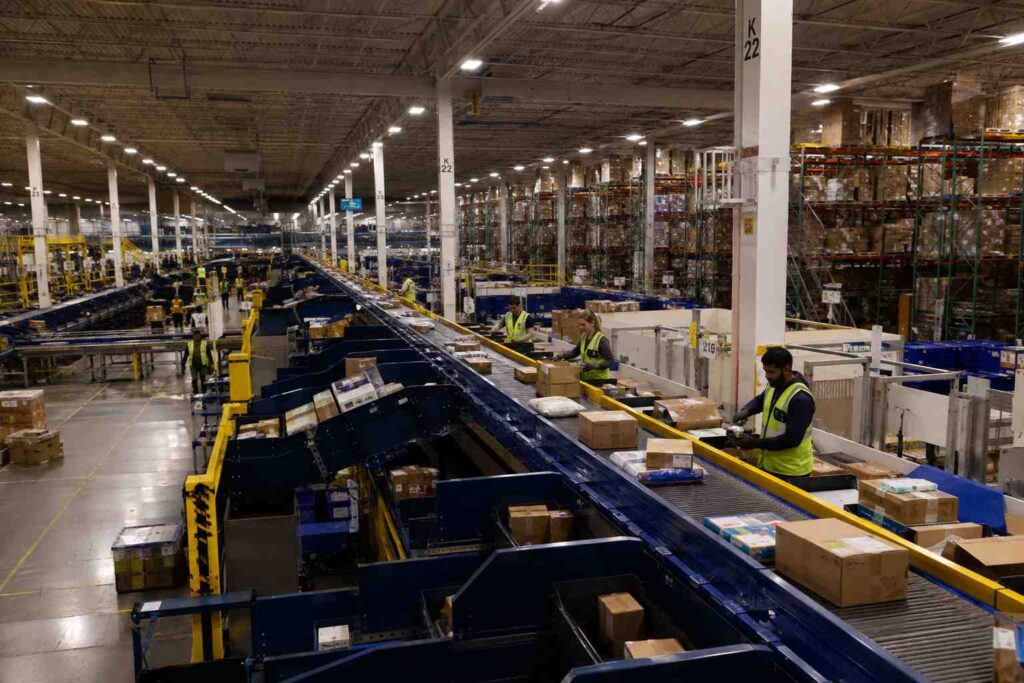
Carriers like USPS, UPS, and FedEx move packages through a network of regional and national sorting facilities rather than shipping most items directly from origin to destination. Every time a package is scanned, whether it is being loaded onto a truck, unloaded at a hub, or handed to a local driver, that scan generates a status update. The specific wording varies slightly by carrier, but the underlying events they describe are largely the same across all of them.
Understanding this scan-based structure is the key to reading any tracking history correctly. A tracking page is not a live GPS feed showing the package’s exact location at every moment, it is a running log of discrete checkpoints the package has passed through so far. Everything between two logged scans is simply not visible yet, which is normal and does not mean tracking has stopped working correctly.
The Most Common Statuses, Explained
Most tracking histories are made up of a fairly small set of recurring phrases. Here is what each one is actually telling you:
- Arrived at Facility (or “Arrived at Hub”). The package has reached a sorting or distribution center and will be processed there before continuing on to the next stop or being loaded for local delivery if this is the final hub before your area.
- Departed Facility. The package has left that sorting center and is now in transit to its next stop, whether that is another facility or the local post office or depot that will handle final delivery.
- In Transit. The package is physically moving between two points but has not yet been scanned at its next stop. This is often the status that sits unchanged the longest, since it can cover anywhere from a few hours to a couple of days depending on the distance and route.
- Out for Delivery. The package has been loaded onto a local delivery vehicle for that day and should arrive before the end of the driver’s route.
- Delivered. The carrier’s system recorded the package as dropped off at the address on file, whether or not a person answered the door or saw the delivery happen.
- Delivery Exception. Something interrupted the normal delivery attempt, such as a closed business, an access issue, incorrect address information, or a weather delay, and this status is worth reading closely since it usually includes a short explanation of what happened.
- Held at Facility (or Customs Hold). The package is intentionally being kept at a location rather than continuing to move, either because it is awaiting pickup at a post office or retail counter, or because an international shipment is going through customs inspection and duty processing.
- Return to Sender. The carrier is sending the package back to the original shipper, usually because of an undeliverable address, a refused delivery, or an unclaimed hold period that expired.

Why a Package Can “Depart” and Then Go Quiet for a While
One detail trips people up more than any other: a sorting hub does not scan every package at every single handoff point along its route. A package can physically leave a facility and travel for a day or more before its next scan is logged at the following stop. That gap between “Departed Facility” and the next status update does not mean the package stopped moving, it usually just means the truck or plane it is on has not reached the next scan point yet. For a standard ground shipment crossing several states, a full day or two between scans during the “in transit” phase is common and not a sign of a problem.
For example, imagine a package that shows “Departed Facility” in Ohio on a Monday evening and does not show another update until “Arrived at Facility” in Pennsylvania on Wednesday morning. To someone refreshing the tracking page, that 36 hour silence can look like the package vanished. In reality, it likely spent that time on a truck making several other stops along a regional route, with no scan event generated until it was unloaded at the next hub.
This is also why two packages sent from the same location on the same day can seem to move at very different speeds even though both are on schedule. A package headed to a nearby regional hub might rack up three or four scan updates within a single day simply because it passes through several smaller local checkpoints along a short route. A package headed cross-country on a single long-haul truck route might show only one or two scans over that same period, not because it is moving slower, but because its route involves fewer intermediate scan points before it reaches the next major hub.
The Same Idea, Slightly Different Wording by Carrier
USPS, UPS, and FedEx all track the same basic milestones, but each uses its own house style of wording, which is part of why tracking pages can feel inconsistent if you regularly order from different retailers. USPS tends to use plain phrases like “Arrived at USPS Regional Facility” or “Departed USPS Facility.” UPS labels the same kind of event a “Departure Scan” or “Arrival Scan,” and adds more granular internal statuses like “Processing at UPS Facility.” FedEx often includes the specific facility type in the status itself, such as “Arrived at FedEx location” or “On FedEx vehicle for delivery.” None of these differences change what is actually happening to the package, they are just each carrier’s own internal naming convention for the same handful of underlying events: a scan when a package arrives somewhere, a scan when it leaves, and a scan when it is handed to the recipient.
This matters most when you are comparing two orders from different retailers that shipped on the same day through different carriers. One tracking page might show three or four status updates by the next morning while the other shows only one, not because one carrier is faster, but because they scan and report events at different points along their own network.
When a Status Actually Means Something Is Wrong
Most of the statuses above describe completely normal progress, but a few are worth paying closer attention to. A “Delivery Exception” status is the clearest signal that something interrupted the normal process, and it typically comes with a short note explaining why, such as a business being closed, a security issue at the address, or a customs hold on an international shipment. A status that has not changed at all for four or five days on a package shipped with a fast, premium service is also worth a second look, since that gap is unusual for expedited shipping in a way it would not be for standard ground service. Outside of those two situations, an unfamiliar-sounding status is almost always just describing a normal step in the shipping process rather than a problem.
Frequently Asked Questions
Does “In Transit” mean my package is lost? No. It simply means the package is moving between two scan points and has not yet reached the next one. It is one of the most common statuses in a normal tracking history.
Why does my package say “Arrived at Facility” for a location nowhere near me? Packages often route through regional hubs that are not geographically close to either the sender or the recipient, since carriers optimize routes around their existing network of sorting centers rather than a direct path.
What should I do if I see a “Delivery Exception” status? Read the specific note attached to that status, since it usually explains the cause. Many exceptions resolve automatically on the next attempt, but ones involving an address problem may require you to contact the carrier directly.
Is “Delivered” always accurate? The status reflects what the carrier’s system recorded at the time of the scan, which is normally accurate, but on occasion a package can be scanned as delivered shortly before it is physically dropped off, or left in a location that is not immediately visible.
Why does one of my packages update more often than another shipped the same day? How many scan updates a package generates depends on how many checkpoints its specific route passes through, not on how fast it is actually traveling. A route with more intermediate stops produces more visible status updates, while a more direct route can look quieter even when it is on the same schedule.
On a side note, if you are the one keeping track of packages for other people, such as running a mailroom, apartment complex, or business receiving area, you may find it worth looking into package tracking software built specifically for that kind of volume.
