
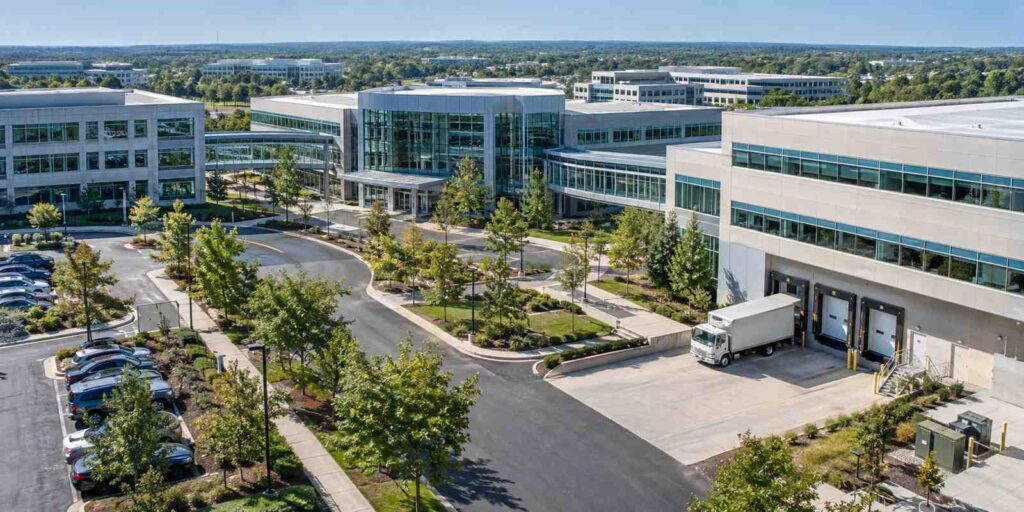
Package Tracking Software for Corporate Campuses With Multiple Buildings and Receiving Docks
Package tracking software for a multi-building corporate campus works best when it treats the campus as one connected receiving network instead of a collection of separate mailrooms. That means logging every package once at a central dock or at whichever building it actually arrives, then tracking it through every internal handoff, whether that is a shuttle van, a golf cart run, or a hand carry between buildings, until it reaches the right recipient. Campuses that skip this step and let each building keep its own paper log or spreadsheet almost always lose visibility the moment a package crosses from one building to another, which is exactly the gap where packages go missing or sit for days without anyone realizing it.
Why Multi-Building Campuses Create a Different Receiving Problem
A single-building office only has to answer one question when a package arrives: who gets it. A corporate campus with several buildings has to answer that question twice. First, which building does this package actually belong to, and second, who inside that building should receive it. Carriers do not always make the first question easy. A driver dropping off forty packages a day for a campus with a shared street address and five buildings will often leave everything at whichever dock is closest to the parking lot, regardless of which building the recipient works in. Facilities and administrative services management is a large and growing profession precisely because problems like this multiply as organizations get bigger and more spread out; the Bureau of Labor Statistics counted more than 165,900 facilities managers working in the United States as of 2025, a role it projects will grow by about 5 percent over the following decade as organizations keep adding square footage and campus complexity (Bureau of Labor Statistics). Every one of those managers eventually runs into the same version of the multi-building receiving problem, usually the first time a package sits unclaimed at the wrong dock for a week.
The stakes go up further when the campus includes buildings with different security requirements, like a data center, a lab, or an executive suite, sitting alongside standard office buildings. A generic “leave it at the front desk” policy does not work when one of the buildings on the list needs escorted access for any delivery driver. Package tracking software solves this by attaching building-level rules to every incoming shipment automatically, based on the recipient’s actual work location, rather than leaving it to whichever staff member happens to be at the dock that day.
Centralized Receiving Versus Building-Level Intake Points
Most large campuses land on one of two models, or a hybrid of both. In a fully centralized model, everything arrives at one main dock, gets scanned and sorted there, and then moves out to each building on a fixed schedule. In a distributed model, each major building has its own receiving point, and packages are scanned wherever they first land. The University of Arkansas for Medical Sciences runs a real-world version of the centralized model at hospital scale. Its Central Receiving department operates from a single Distribution Center with eighteen full-time staff, and by policy, “with only a few exceptions, all goods ordered for UAMS are received at Central Receiving” before being routed out to satellite points near the main hospital, the Outpatient Center, and several specialty institutes on campus (UAMS Supply Chain). That structure keeps one consistent intake process in place even though the campus itself spans multiple buildings with very different functions.
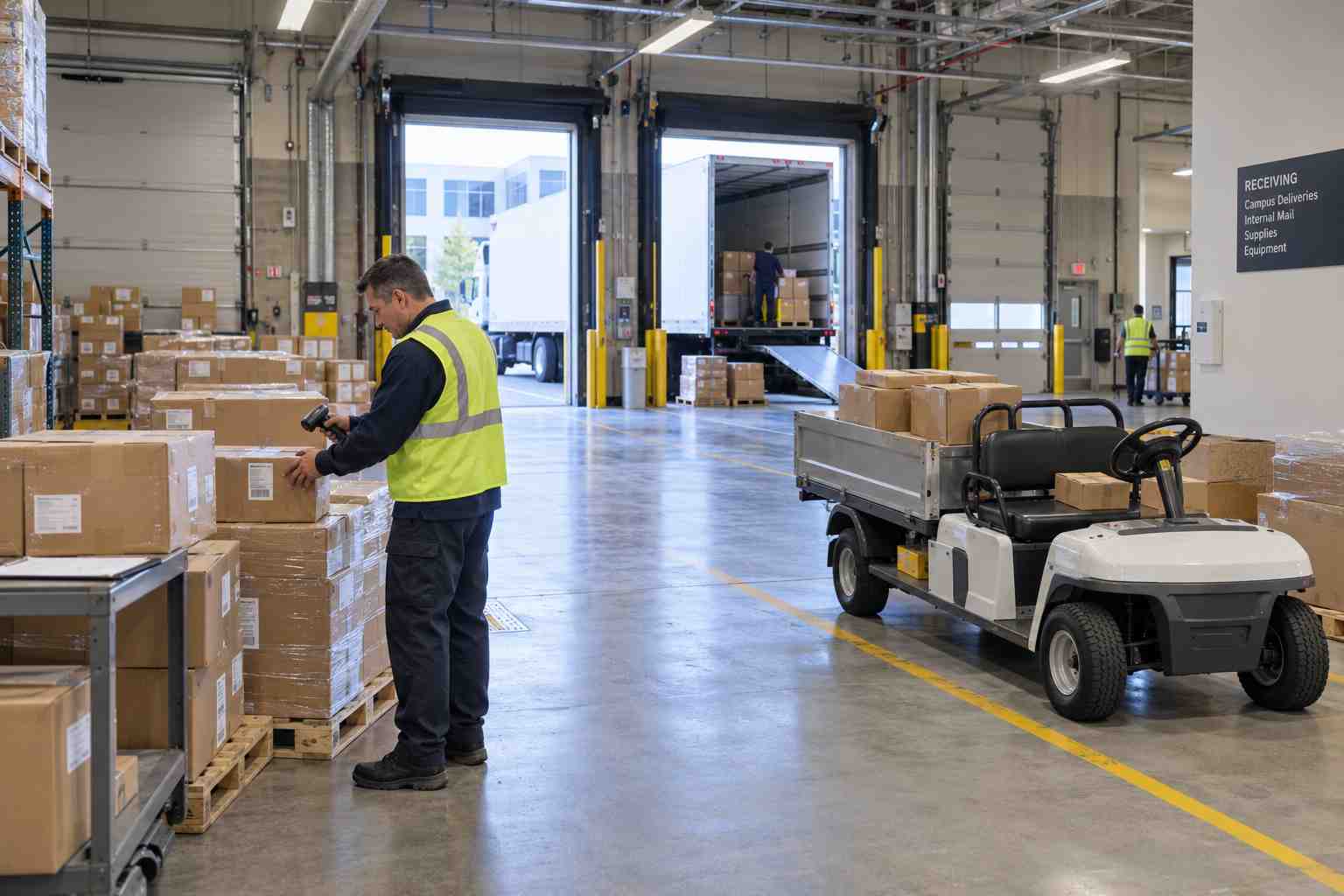
A centralized model like that works well when there is enough package volume to justify a dedicated intake team and a reliable internal transport schedule. A distributed model tends to fit better when buildings are far enough apart, or different enough in security needs, that routing everything through one dock first would add more delay than it saves. Either way, the software layer matters more than the physical layout. What actually prevents packages from getting lost is not which model a campus picks, it is whether every scan, at every point, feeds into one shared record that any staff member, in any building, can search by recipient name, department, or tracking number.
Moving Packages Between Buildings Without Losing the Chain of Custody
The riskiest moment for any package on a multi-building campus is the handoff between the dock where it arrived and the building where it is actually needed. If that transfer is not logged, the chain of custody effectively breaks in the middle, and no amount of good recordkeeping at either end can fully account for what happened in between. Consider a realistic scenario: a facilities team runs an internal shuttle three times a day between a central dock and four satellite buildings. Without tracking software, the shuttle driver hand-carries a stack of packages with no record of what left the dock or what was actually dropped at each stop. If a recipient in Building C says a package never arrived, there is no way to tell whether it was left at the wrong building, missed the shuttle entirely, or was delivered and later misplaced inside Building C itself.
Package tracking software closes that gap by requiring a scan at each transfer point, not just at final delivery. The package gets scanned once at the central dock, once when it is loaded onto the shuttle, and once when it is handed off at the destination building. That creates a timestamped record of exactly where the package was at every stage, which turns a “we don’t know what happened” conversation into a two-minute lookup. For campuses that also handle sensitive shipments, such as legal documents, medical supplies, or IT hardware, this kind of multi-hop record is often the difference between being able to demonstrate proper handling and simply asserting that it probably happened correctly.
Giving Facilities Leadership Unified Visibility Across the Whole Campus
When each building keeps its own log, facilities leadership only gets a real picture of receiving performance by manually collecting numbers from every building manager, which usually happens quarterly at best. A shared, campus-wide corporate package tracking software system instead gives leadership one dashboard that shows package volume, average time to pickup, and any unclaimed packages across every building at once, without waiting on anyone to compile a report. That visibility matters more as a campus grows. A facilities director managing three buildings can often keep a mental model of what normal volume looks like. A director managing eight buildings across a business park cannot, and needs the software to surface the outliers instead, such as one building suddenly seeing double its usual package volume during a product launch or a new hire wave.
This kind of visibility also helps justify staffing and space decisions with real numbers instead of impressions. If the data shows that two buildings consistently generate more than half of total campus package volume, that is a concrete basis for deciding where to add a dedicated receiving staff member or expand dock space, rather than spreading resources evenly across buildings that do not actually need it.
What to Look For in Software Built for Multi-Building Campuses
Not every package tracking platform is built to handle more than one physical location well. When evaluating options for a multi-building campus, a few capabilities matter more than they would for a single-building office. The software needs to support multiple scan points per package rather than a single intake-to-pickup record, so that internal transfers between buildings are captured, not just the first and last touch. It needs location-aware routing, so a package addressed to a person can automatically be flagged for the correct building based on that person’s actual work location, not just their name. Comparing feature sets and edition tiers side by side is worth doing early, since campus-scale deployments often need capabilities that a smaller single-location plan does not include (see this comparison of editions and features). Reporting also needs to roll up cleanly across locations, and the underlying parcel management software should be flexible enough to represent a campus as a set of connected buildings rather than forcing every location into a separate, disconnected account.
Ease of use for staff matters just as much as the feature list. A system that requires extensive retraining every time a new building comes online will slow adoption exactly when it is needed most, during growth. Look for software that lets a new building’s receiving desk get up and running with the same scanning workflow already used elsewhere on campus, so staff moving between buildings, or covering for each other during busy periods, do not have to learn a second system.
Getting Started
Most campuses do not need to convert every building at once. A practical rollout usually starts with the two or three buildings that generate the most package volume or the most complaints about missing deliveries, proves the model there, and then extends it to the rest of campus once staff are comfortable with the workflow. If your organization is weighing a centralized dock, a distributed model, or some mix of the two, it is worth walking through the specifics of your own campus layout with a specialist rather than guessing which approach fits. You can schedule a demo to see how a multi-building setup would actually work with your existing buildings, docks, and staff.
