
Mailroom Security Best Practices: Access Control, Screening, and Accountability
Good mailroom security rests on four habits: control who can enter the room, record every package the moment it arrives, verify identity at pickup, and review the records for gaps. A locked door and a camera help, but they do not tell you where a specific package went. Package tracking software adds the missing layer by creating a time-stamped record of each handoff, so you can answer “who had it and when” in seconds. This guide covers practical mailroom security best practices for facilities and mailroom managers, from physical access to screening to accountability.
Mailrooms hold more value than many people realize. On any given day, a corporate mailroom may handle laptops, legal documents, medical supplies, checks, and personal purchases. Each item is a target for theft, tampering, or simple mistakes. Security here is not only about stopping criminals. It is also about proving what happened when something goes missing, because a missing package without a record becomes a dispute between people who cannot settle it.
Start With a Risk Check of Your Mailroom
Before you buy locks or cameras, walk through the room as if you were a stranger trying to take something. Where do packages sit when they arrive? Who can reach them? How long do they stay? Which hours are the least supervised?
A short risk check usually turns up the same weak points. Delivery drivers leave packages at an unattended counter. A side door is propped open for convenience. Staff leave the room during lunch with no one covering it. Overflow packages end up in a hallway. Pickup depends on someone saying “I think that one is mine.” Any of these can lead to loss, and each has a simple fix.
Here is a realistic example. A mid-sized office receives about 150 packages a day. The mailroom has one clerk, and drivers drop boxes at the front counter while she is away at lunch. Over a quarter, six packages go missing, and no one can tell whether they were never delivered, taken by a visitor, or misplaced. The first fix is not new technology. It is a rule that drivers hand packages to a person, plus a log that records each one. Technology then makes that rule easy to follow.
Control Physical Access
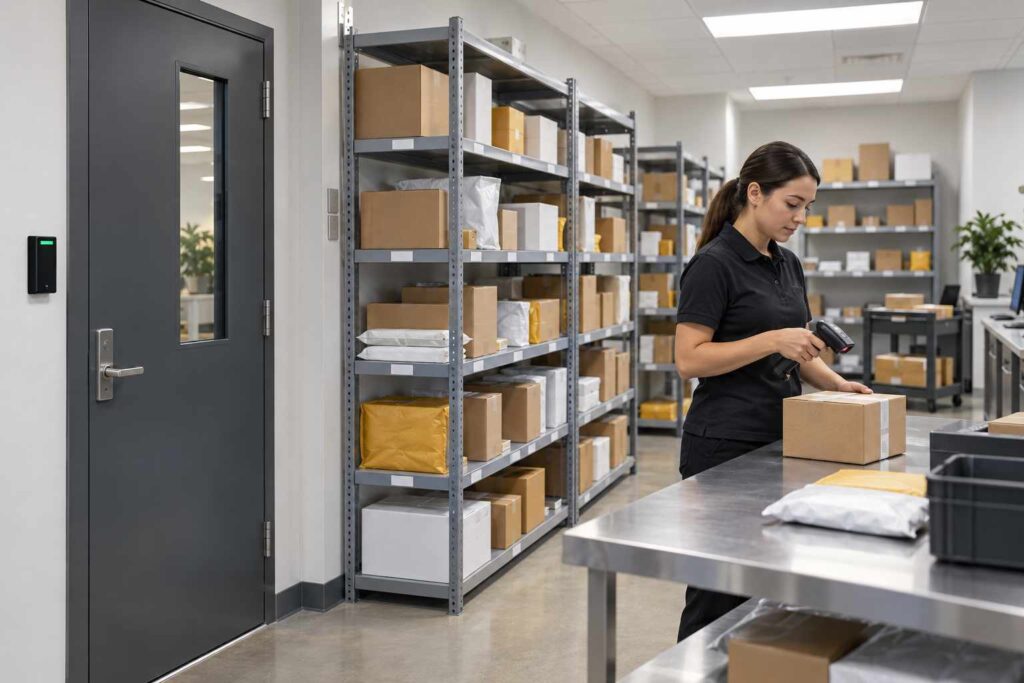
The first layer is who can enter. Limit mailroom access to staff who need it, and keep a list of who holds keys or badge access. Review that list at least twice a year, and remove anyone who has changed roles or left. Badge systems create an automatic record of entries, which is useful if you later need to trace an incident.
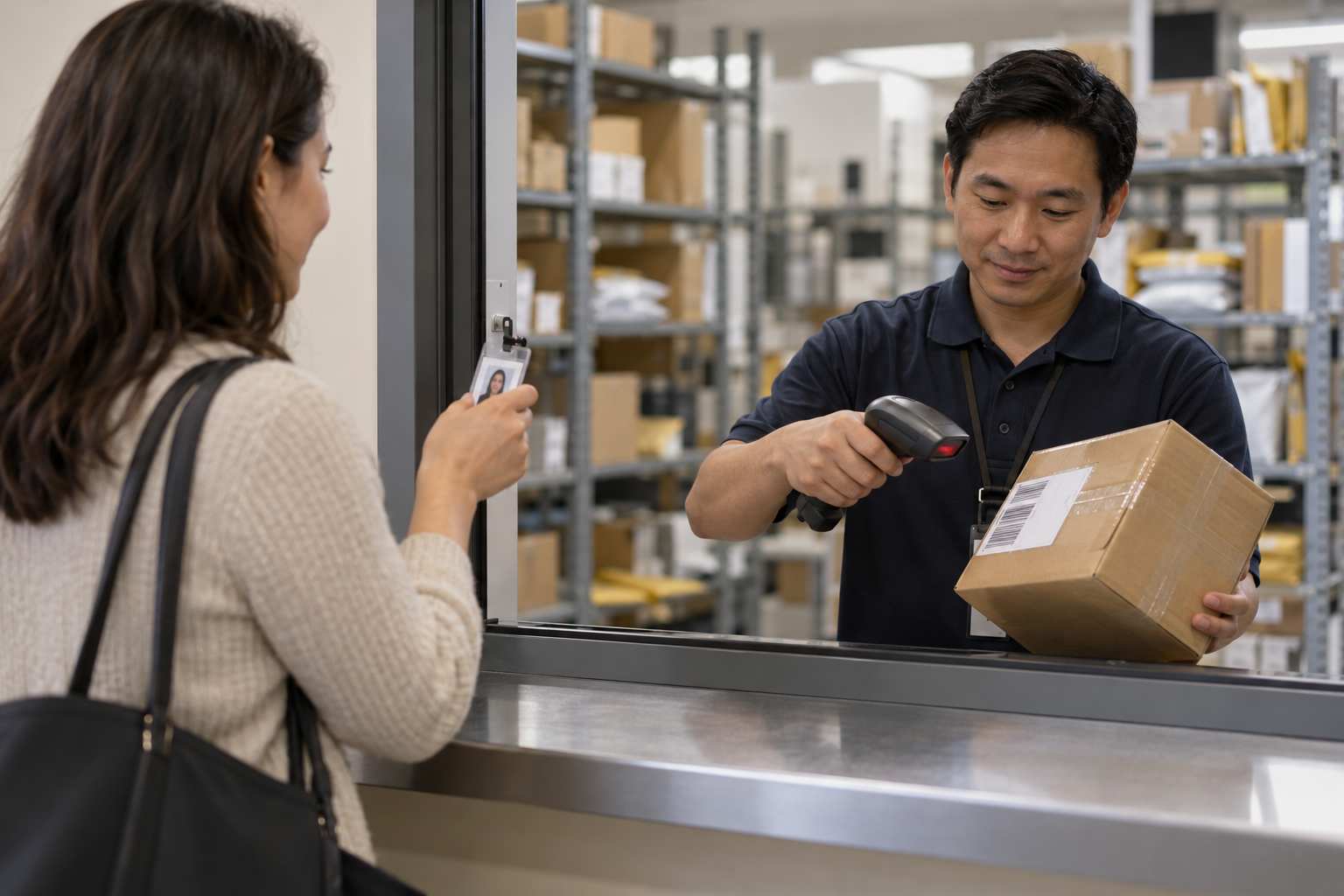
Next, think about the delivery handoff. Drivers should arrive at a service counter, a loading dock door, or a dedicated delivery window, not wander the building. A half-door or window keeps outsiders out of the storage area. If your mailroom has a loading dock, use a visitor log for drivers and a clear rule about where they stop.
Storage matters too. Use shelves or cages that keep packages off the floor and out of reach of casual visitors. Keep high-value or sensitive items in a locked cage or cabinet, with a separate log for who opens it. Label shelves by department, building, or recipient name, so that staff can find an item without searching, which also reduces the time packages sit unattended.
Log Every Package at Intake
Security without records is guesswork. The strongest single step you can take is to log every package the moment it arrives. A good intake record includes the carrier, the tracking number, the date and time, the recipient, the storage location, and the name of the staff member who accepted it.
Paper logbooks can do this job, but they are slow and hard to search. Handwriting can be unreadable, and a missing page can hide a problem. Spreadsheets are better, but they depend on people entering every row and do not send alerts. Package logging software speeds up intake with a barcode scan, builds a searchable history, and removes the guesswork about who accepted what.
Speed is part of security. If intake is slow, staff skip the log during busy hours, and the gaps appear exactly when volume is highest. A fast scan-and-go process keeps the habit alive even on a heavy Monday. Our article on how package tracking software works explains how the scan, label, and notification steps fit together.
Notify Recipients Quickly
The longer a package sits, the more chances there are for loss, damage, or misdelivery. Fast notification shortens that window. When the system sends an email or text the moment a package is logged, recipients know to collect it, and an item that stays uncollected becomes visible.
Automatic package tracking notifications also act as a security check. If a recipient says they never received an alert, you can see whether the message was sent, to which address, and when. If someone receives an alert for a package they did not expect, they can report it, which may reveal a mislabeled shipment or a scam. Reminders after one or two days keep the shelves clear and show which packages need follow-up.
Verify Identity at Pickup
The pickup is where many security systems fail. A person walks up, says a name, and leaves with a package. The mailroom has no proof of who took it. To close this gap, require a consistent check for every pickup.
The simplest check is a signature, captured on paper or on a tablet, tied to the package record. A stronger check matches the person to a badge, employee ID, or a one-time code sent with the notification. For high-value items, ask for a photo ID in addition. For packages collected by someone else, require a written authorization that is saved with the record.
Consider a hospital pharmacy supply room, where a delivered package contains controlled supplies. A signature from an authorized staff member, a badge scan, and a time stamp turn a loose handoff into a documented one. The same approach works for law offices, labs, and government facilities. The goal is the same in each: every package leaves with a named person and a time on the record.
Screen Packages and Spot Red Flags
Most packages are routine, but mailroom staff should know the signs of a suspicious one. These include no return address or a false one, excessive postage or tape, strange odors or stains, wires or foil showing, handwriting that is hard to read, unexpected packages from an unknown sender, or a package addressed to a person who no longer works there. The U.S. Postal Inspection Service and many security agencies publish guidance on recognizing suspicious mail, and staff should be trained on the policy at your organization.
Write a short procedure for what to do when something looks wrong: stop handling it, move people away, and call the designated security contact. Practice it once a year, so nobody has to remember it during a real event. Keep the procedure posted in the mailroom, with phone numbers.
Software helps screening by flagging unexpected situations. For example, a package for a person who is not in the directory, a package that has been sitting for a long time, or a duplicate scan of the same tracking number can all prompt a second look.
Review Records and Audit Regularly
Records only protect you if someone reads them. Set a weekly or monthly review to look for patterns. Which departments have the most uncollected packages? Which times of day show the most exceptions? Are there repeated problems with the same carrier or the same shelf?
Run a spot audit every month: pick ten packages at random from the shelves and confirm that each one is in the log, and pick ten from the log and confirm they are on the shelves. Any mismatch is a signal to fix a process, not blame a person. Over time, these audits build a culture of care.
Reports from your software can speed up the work. A report of items older than seven days, for instance, highlights packages at risk. A report of pickups by staff member helps you balance workloads and spot unusual activity.
Train Staff and Set Clear Policies
Technology and locks only work when people follow the plan. Write a short mailroom security policy that covers access, intake, storage, pickup, suspicious packages, and incident reporting. Keep it to a page or two, so people read it. Review it with new hires on day one, and refresh everyone once a year.
Cross-train backups so that the room is never left to someone who does not know the process. A rushed, untrained substitute is a common cause of lost packages. Clear shift handoff notes, shared logs, and a short checklist reduce the risk when regular staff are out.
Put It Together and Get Started
You do not need to fix everything at once. Begin with the changes that give the most protection for the least effort: log every package, notify every recipient, verify every pickup. Then add physical upgrades as budget allows. If you want to see how a modern system handles these steps in one workflow, you can schedule a demo of TekCore and walk through intake, notification, and pickup with your own mailroom in mind.
Frequently Asked Questions
What is the most important mailroom security measure?
Recording every package at intake and every handoff at pickup. Locks and cameras help, but a complete record is what lets you resolve a missing package quickly.
How can I prevent package theft in a mailroom?
Limit access, keep packages off open counters, store high-value items in a locked area, notify recipients quickly, and require identity checks at pickup.
Do I need cameras in the mailroom?
Cameras are a useful backup, especially at the door, dock, and storage area. They work best alongside a package log, since video alone does not tell you which package was taken.
How often should I audit mailroom records?
A quick spot check each month and a deeper review each quarter works for most mailrooms. Increase the frequency if you handle regulated or high-value items.
What should staff do with a suspicious package?
Stop handling it, keep others away, and contact the security contact named in your policy. Do not open it or move it more than necessary.
