
Mailroom Automation: A Complete Guide for Facilities Managers
Mailroom automation is the use of scanning, software, and connected hardware to replace the manual, paper-based steps of receiving, logging, notifying, and releasing packages and mail inside a building. Instead of a staff member writing entries in a logbook, printing sign-in sheets, or calling around to track down a recipient, an automated mailroom scans each item on arrival, records who it belongs to, alerts the recipient automatically, and captures proof of pickup, often with a signature or photo. For facilities managers juggling growing delivery volume, tighter security expectations, and leaner staff, that shift changes a slow, error-prone process into one that is fast, accurate, and easy to defend if something goes wrong.
This guide walks through what mailroom automation actually involves, the specific problems it solves, how to tell whether your facility is ready for it, what it tends to cost against what it saves, and how to roll it out without disrupting the operation you already have. Whether you manage a corporate office tower, a multi-tenant building, a hospital, or a campus, the fundamentals are the same, even though the details of implementation will differ by facility type. Consider this the reference page to bookmark before you start evaluating mailroom automation vendors, since it covers the full arc from definition to rollout in one place.
What Is Mailroom Automation?
At its core, mailroom automation replaces manual logging with a system built around five connected capabilities. None of these pieces works especially well in isolation. A facility that automates notifications but keeps a paper logbook for intake still has illegible handwriting and mistyped names feeding the rest of the process, and a facility with great scanning hardware but no notification system still leaves recipients guessing when a package has arrived. The value shows up when the pieces are connected end to end. Understanding each one helps you see where your current process has gaps and where digital mailroom software can close them.
Barcode and Scan-Based Intake
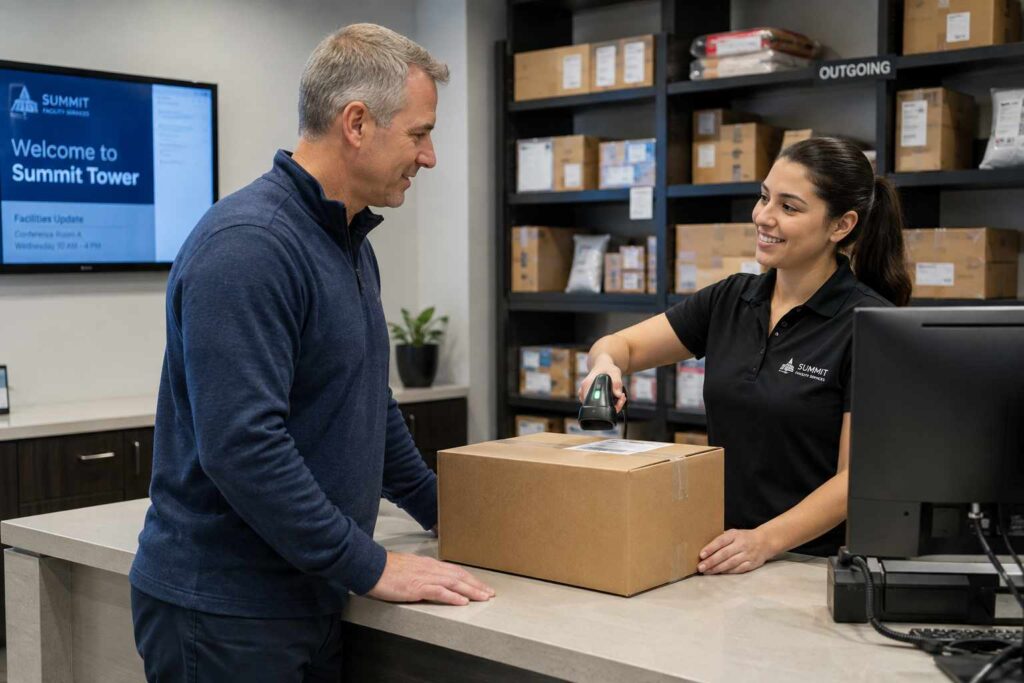
Every automated mailroom starts with intake. Instead of writing a courier’s tracking number by hand, staff scan the barcode on the package with a handheld scanner, a mobile device, or a fixed scanning station. The scan pulls the carrier and tracking data automatically and matches it to a recipient in the building directory, often using name recognition or unit and department lookups. This single step removes the two biggest sources of error in a manual mailroom: illegible handwriting and mistyped names. It is also the foundation for everything downstream, because if the package is not logged correctly at intake, no later step can fix it.
Automated Recipient Notifications
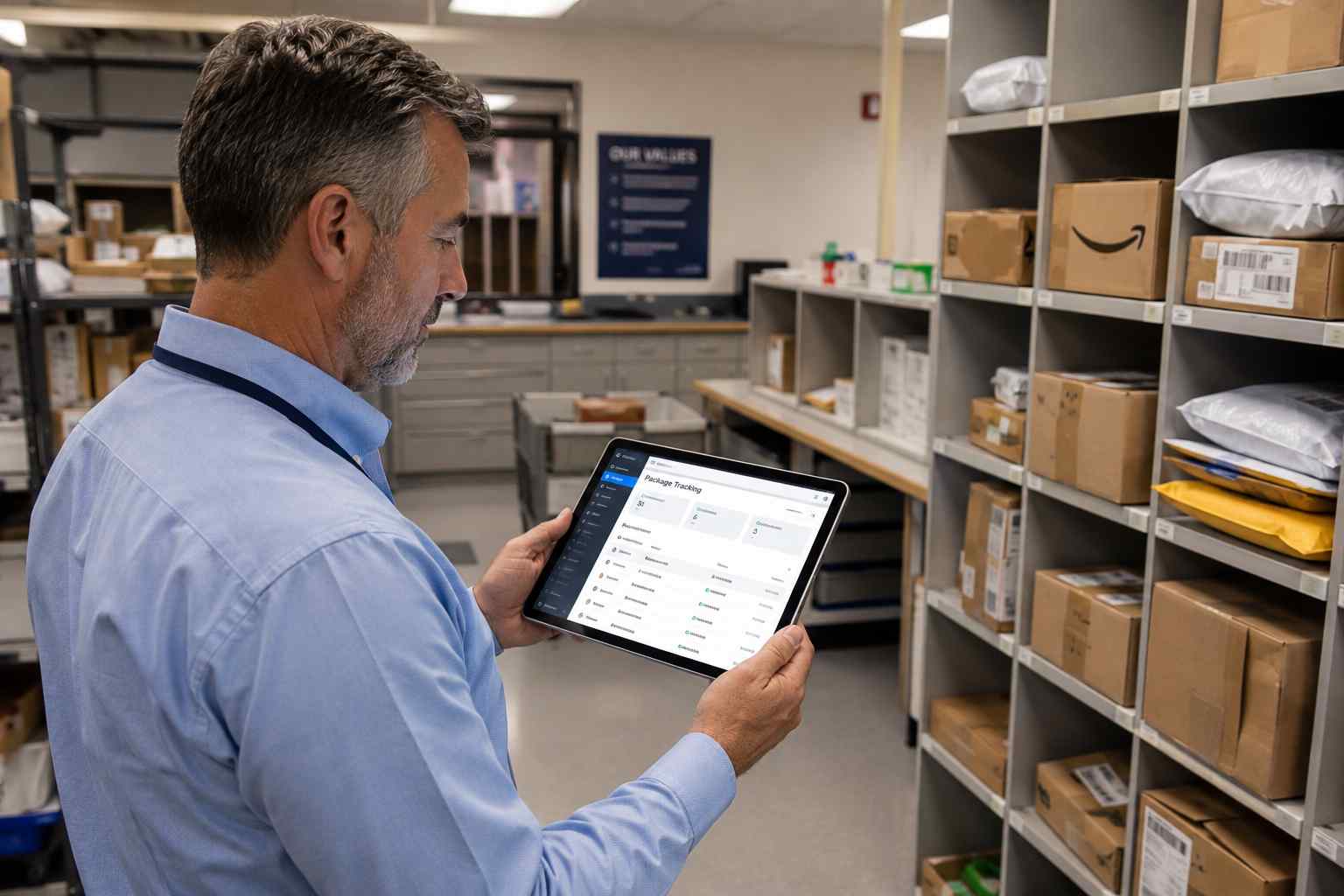
Once a package is logged, the system should notify the recipient without anyone picking up a phone. Most platforms send this through email, text message, or an app push notification within seconds of the scan. Good package tracking notifications also include reminders if a package sits unclaimed for a set number of days, which keeps shelves from filling up with items nobody has picked up. This is often the single change that recipients notice fastest, because it eliminates the daily habit of walking to the mailroom just to check.
Digital Chain of Custody
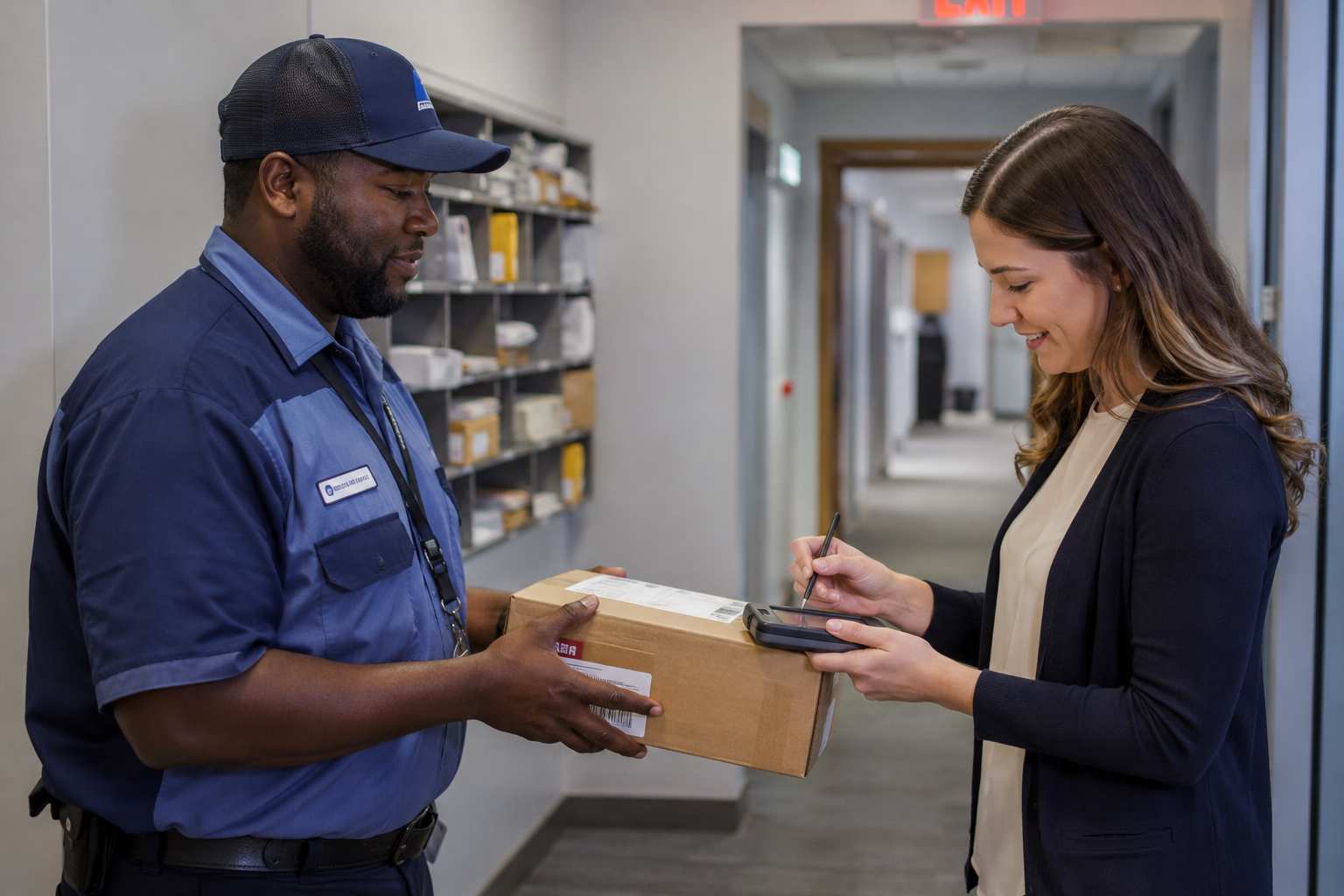
Every time a package changes hands, from courier to mailroom staff, from staff to a shelf or locker, and from the shelf to the recipient, the system records who touched it and when. This creates a digital chain of custody that shows exactly where a package has been at every point, which matters enormously when someone disputes ever receiving an item. Signature capture and photo confirmation at final pickup complete the record, giving you a form of proof of delivery that a paper logbook simply cannot match.
Self-Service Pickup Lockers and Verification
For buildings with high package volume or extended hours, self-service parcel lockers let recipients pick up items on their own schedule using a code, badge, or app, without a staff member present. This reduces crowding at a staffed counter and extends effective pickup hours well beyond when mailroom staff are on site, which is especially valuable in residential and mixed-use buildings.
Integration with Access Control and Other Systems
The most mature automated mailrooms connect to the systems already running the building, such as badge access control, visitor management, and directory or HR systems. When a new employee is added to the directory, they should automatically appear as a valid recipient without manual data entry. When someone leaves the organization, their access should update the same way. This kind of integration is what separates a true mailroom management software platform from a simple scanning app.
Why Mailroom Automation Matters Right Now
Package volume has not slowed down, and it is not going to. U.S. package shipping has climbed for over a decade, and researchers tracking delivery data found that the average American household received 167 packages in 2024, with national volume on a path toward roughly 27.6 billion packages a year by the end of the decade. Every one of those packages that arrives at a workplace, apartment building, hospital, or campus has to be received, logged, and handed off correctly, and the operational burden of that work scales directly with volume.
Theft and loss are part of the same story. The U.S. Postal Service Office of Inspector General reported that at least 58 million packages were stolen in 2024 alone, and identified “leveraging technology for enhanced tracking and theft prevention” as one of the core mitigation strategies the delivery industry should pursue. Separately, industry research from Security.org found that roughly one in four Americans, an estimated 64 million people, has had a package stolen at some point. Packages that never leave a secured, scanned mailroom are far less exposed to that risk than packages left unattended, which is one of the clearest arguments for tightening intake and custody procedures rather than treating theft as an unavoidable cost of doing business.
At the same time, facilities and mailroom teams are being asked to do more with the same headcount, or less. Automation is less about replacing people and more about giving the people you already have a process that does not depend entirely on memory, handwriting, and manual phone calls.
Hybrid work has added another layer of pressure that did not exist a decade ago. When employees are only in the office two or three days a week, a package that arrives on a day someone is working remotely can sit unclaimed far longer than it would have in an office that was fully staffed five days a week. Without automated notifications, that person may not even know to expect a delay, and mailroom staff have no reliable way to reach them beyond a phone call or an internal message that could easily be missed. Automated systems solve this by reaching people wherever they are, rather than assuming they will walk past the mailroom on their way in.
The Problems Mailroom Automation Solves
Labor Time and Staff Efficiency
Manual logging is slow by nature. Writing down a tracking number, a recipient name, and a date for every single package adds up to hours of staff time in any facility receiving more than a handful of deliveries a day. Scanning collapses that into seconds per item, and it frees staff to focus on higher-value work, like managing large deliveries, handling exceptions, or supporting other facilities tasks. In buildings with seasonal spikes, such as retail-adjacent offices around the holidays, that time savings becomes the difference between keeping up and falling behind.
Lost, Misdelivered, and Stolen Packages
When a package is logged correctly at intake and tracked through every handoff, it is far harder for it to disappear without a trace. Automated systems flag packages that have sat too long, make it obvious which shelf or locker an item is in, and record exactly who checked it out. This directly reduces the number of packages that get misdelivered to the wrong recipient or simply go missing between the loading dock and the person who was supposed to receive it.
Compliance and the Audit Trail
Certain facilities, including hospitals, financial services offices, and government buildings, need to be able to prove exactly what happened to a package or piece of mail if it is ever questioned. A searchable digital record with timestamps, photos, and signatures gives facilities managers an answer in seconds rather than a scramble through paper logs. This is especially important in regulated environments like a hospital mailroom, where sensitive deliveries and strict recordkeeping expectations are part of daily operations.
Employee, Resident, and Patient Satisfaction
Nobody enjoys walking to a mailroom on the off chance a package arrived, and nobody enjoys being told a package is “somewhere in the building” with no further detail. Automated notifications and reliable pickup processes remove that uncertainty. In residential and mixed-use settings, this satisfaction question can directly affect resident retention and reviews, which is why residential package tracking software has become a standard expectation rather than a premium amenity.
What a Day in an Automated Mailroom Actually Looks Like
It helps to picture the process end to end rather than think about each feature separately. A courier drops off a cart of packages at the loading dock or front desk. Instead of a staff member manually copying tracking numbers into a spreadsheet, they scan each barcode with a handheld device or phone, and the system pulls the carrier, tracking number, and a match to the recipient’s name in seconds. Within moments of that scan, the recipient gets a text or email letting them know a package has arrived and roughly where to pick it up.
The package is placed on a labeled shelf or into a locker, and that location is tied to the digital record so any staff member, not just the one who checked it in, can find it later without searching. When the recipient arrives, they either sign on a handheld device, enter a code at a locker, or badge in if the mailroom is tied to access control, and the system logs the pickup with a timestamp. If a package sits for several days without being claimed, the system sends a reminder automatically instead of relying on staff to notice and follow up.
At the end of a week or month, a facilities manager can pull a report showing exactly how many packages moved through the mailroom, how long items sat before pickup on average, and whether any items are still outstanding. That kind of visibility simply does not exist in a paper-based process, where the only way to answer those questions is to physically count logbook entries by hand. This is the practical difference between a mailroom that is automated and one that is merely busy.
How to Tell Whether Your Facility Needs Mailroom Automation
Not every facility needs the same level of automation, and it is worth being honest about where your operation actually stands before you invest in new tools. A few signals tend to show up consistently in facilities that are ready for a change. Package volume that has grown noticeably over the past year or two, without a matching increase in mailroom staff, is one of the clearest indicators. So is a rising number of complaints about lost items, delayed notifications, or packages that recipients insist they never received. If your team is still relying on a paper logbook, a shared spreadsheet, or a whiteboard to track deliveries, you are likely spending more staff time on administrative tracking than the work should require.
It also helps to look at the type of facility you run. Corporate offices with hundreds of employees, university housing and student mail centers, hospitals handling both clinical and administrative deliveries, and multi-tenant residential buildings all face high package volume and high expectations for accuracy, which makes them strong candidates. A small office receiving a dozen packages a week has a much lower bar to clear. The industry-specific benefits of automation vary by facility type, so it is worth reviewing how the case for automation applies to your particular setting rather than assuming a generic answer fits every building.
If you recognize your building in most of the signals above, the next reasonable step is understanding how package tracking software works in practice, so you can compare that process against what your team does today.
One useful exercise is to track a single week of package activity by hand before you decide anything. Count how many packages arrive, how many staff hours go into logging and notifying recipients, and how many complaints or “where is my package” questions come in over that period. Facilities managers are often surprised by how much time the current process actually consumes once it is measured directly instead of estimated. That number becomes a useful baseline for comparing against a vendor’s claims later, and it gives you a concrete before-and-after figure to share with finance or leadership when you make the case for a new system.
What Mailroom Automation Costs, and What It Returns
Pricing for mailroom automation platforms typically depends on package volume, the number of buildings or locations, and which features you need, such as locker integration or access control connections. Costs generally scale with the size of the operation rather than being a flat fee, which means a single-building office and a multi-site portfolio will see very different numbers. Rather than duplicating a full cost breakdown here, it is worth reading a dedicated walkthrough of how to calculate the return on investment of package tracking software, which covers labor savings, loss reduction, and the time value of staff hours in detail.
The short version is that most facilities recover the cost of automation through a combination of reduced labor time per package, fewer lost or misdelivered items that require investigation and replacement, and lower liability exposure when a dispute over a missing package arises. Facilities with high volume or high package value, such as corporate campuses receiving frequent equipment shipments, tend to see the fastest payback.
It is also worth accounting for costs that do not show up on a vendor’s price sheet. Staff time spent investigating a single lost package, including pulling up delivery confirmations, calling the carrier, and following up with an unhappy recipient, can easily run to an hour or more per incident. Multiply that by the number of lost-package incidents your facility handles in a typical month, and the case for automation often looks stronger than a simple software subscription fee would suggest on its own.
How to Implement Mailroom Automation Without Disrupting Operations
A successful rollout starts with mapping your current process before you touch any new software. Walk through exactly what happens today from the moment a courier drops off a package to the moment a recipient picks it up, and write down every handoff, every delay point, and every place where information gets lost. This gives you a baseline to compare against and helps you spot which features actually matter for your building rather than chasing every capability a vendor offers.
From there, most successful implementations follow a similar sequence. Start by importing or syncing your recipient directory so the system recognizes every employee, resident, or department from day one, since a mismatch here causes more early frustration than any other single issue. Next, train mailroom staff on the scanning and intake workflow specifically, rather than the software in general, since intake is where they will spend the vast majority of their time. Run a short pilot period, often two to four weeks, in a single building or a single floor if you manage multiple locations, so you can catch workflow issues before rolling out everywhere. Once the pilot is stable, expand in phases rather than switching every location over at once, and keep a manual fallback process documented for the first few weeks in case of a temporary outage or connectivity issue.
Throughout the process, treat the choice of a package tracking software system as a long-term operational decision rather than a one-time purchase. The vendor you choose should be able to support you well past the initial rollout, including ongoing training for new hires and updates as your facility’s needs change.
Common Pitfalls When Rolling Out Mailroom Automation
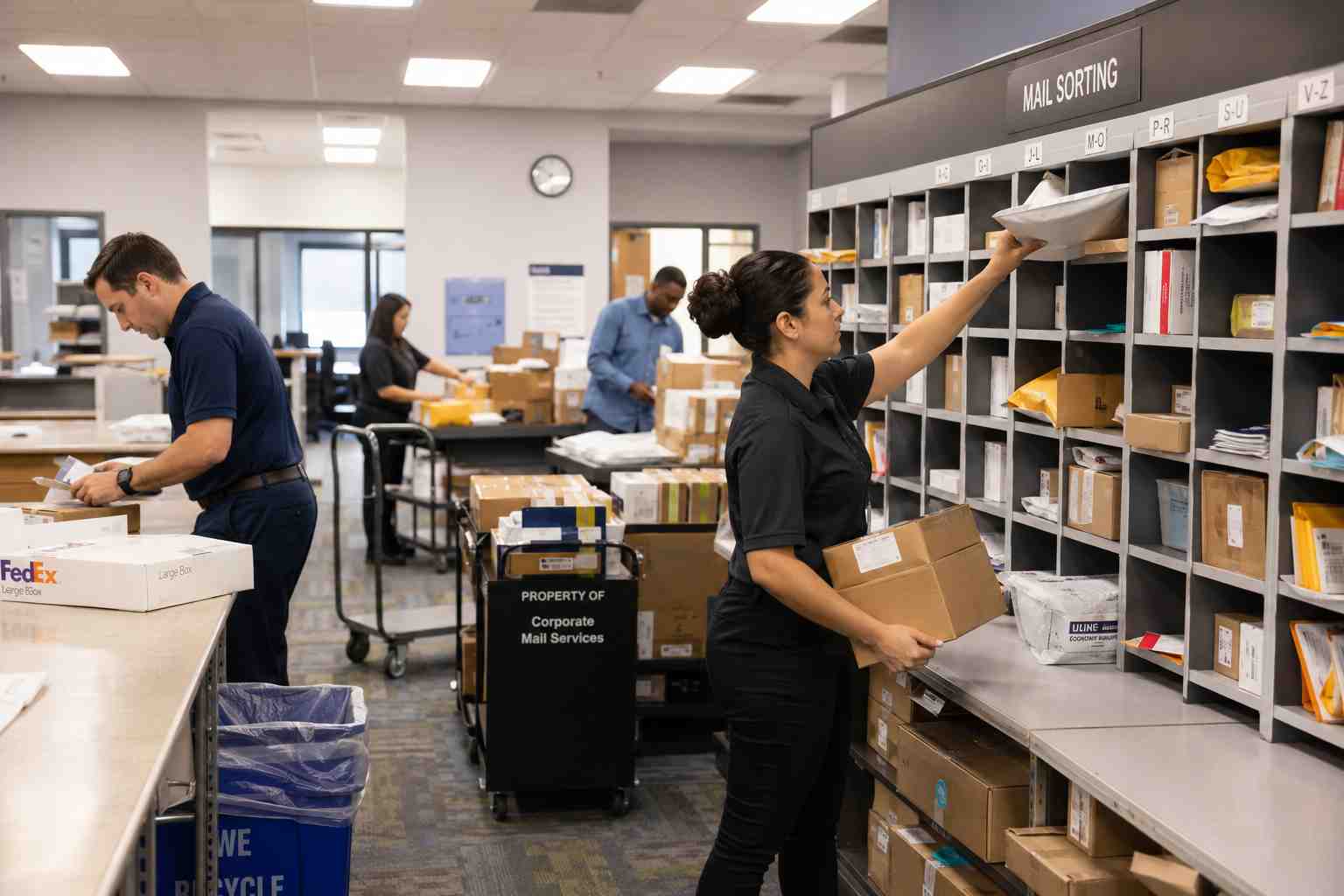
The single most common mistake facilities managers make is skipping staff buy-in before launch. Mailroom staff who were not consulted, or who feel a new system is being imposed on them without explanation, are far more likely to fall back on old habits or work around the new process entirely. Involve the people who will use the system daily early in the evaluation, not just at training time.
A second frequent pitfall is underestimating the importance of clean recipient data. If your employee directory or resident list is outdated or full of duplicates before you launch, the automated system will inherit those problems and staff will lose confidence in it quickly. Clean up your data before go-live rather than during it.
Facilities also sometimes choose a platform based on the lowest sticker price without checking whether it actually covers their needs, such as locker integration, multi-building support, or access control connections. This often leads to a second, more disruptive migration a year or two later. It pays to look closely at editions and feature sets up front and match them against your actual requirements, not just your current budget.
Finally, many teams roll out notifications and intake scanning but never build a habit around the exception cases, such as oversized freight, perishable deliveries, or items requiring a signature from a specific person. Decide how those situations will be handled before launch, not after the first oversized pallet shows up with nowhere documented for it to go.
A related pitfall is treating launch day as the finish line. Adoption tends to drift over the following months if nobody is watching for it, particularly as new staff join who were not part of the original training. Building a short refresher into new-hire onboarding and periodically checking that notifications are actually being read, rather than assuming they are, keeps the system delivering the same results six months in as it did in week one.
Choosing the Right Mailroom Automation Software
Once you know what your facility needs, evaluating vendors comes down to a few practical questions. Does the platform handle your intake volume without slowing staff down. Does it integrate with the directory, access control, or property management systems you already run. Does it support the specific building types in your portfolio, whether that is a corporate office, a university mail center, or a mixed-use residential property. And does the vendor offer real support during and after rollout, not just at the sales stage.
It also helps to look at what actually differentiates one platform from another rather than assuming all package tracking tools are interchangeable. Reviewing a resource like the TekTrack difference or a detailed white paper on package tracking software can give you a more concrete sense of how features translate into day-to-day results, beyond a features checklist. A brochure summarizing core capabilities is also useful when you need to bring a proposal to other stakeholders, such as finance or building ownership, for approval.
Bringing other stakeholders into the decision early tends to smooth the approval process considerably. IT will want to know how the platform handles data security and whether it needs network access beyond a standard internet connection. Finance will want a clear cost structure and an estimate of when the investment pays for itself. Building ownership or upper management, especially in a multi-tenant or managed property, will often want to know how the change affects the experience of the people they answer to, whether that is employees, residents, or patients. Having answers ready for each of those audiences before you ask for sign-off shortens the approval cycle considerably.
If you are still building the foundational case for automation internally, starting with a plain explanation of what package tracking software is and how it fits into broader facilities operations can help you frame the conversation for colleagues who are less familiar with the category. Understanding package logging, inbound tracking, and receiving workflows as distinct but connected pieces will also help you compare vendors on equal footing, since some platforms handle one piece well and the rest poorly.
Mailroom Automation Beyond Packages
While packages tend to dominate the conversation because of their volume and visibility, a fully automated mailroom typically covers more than parcels. Interoffice and outbound mail, certified letters, and even internal document routing benefit from the same scan-and-track approach. Facilities that treat their operation as parcel management alongside a broader mail tracking function tend to get more value out of their investment, because staff are using one consistent system rather than switching between a package tool and a separate mail process.
This is also where the case for automation extends past a single office building. Hospitals handle pharmaceutical and lab deliveries with strict chain of custody needs, universities manage thousands of student packages during move-in weeks, and residential communities need a system that works for hundreds of unrelated households at once. The underlying technology is the same in each case, but the way it gets configured and rolled out should reflect the specific pressures of that environment. A broader overview of how these solutions apply across sectors is available on TekCore’s main package tracking solutions page, and a full list of common questions is answered in the package tracking FAQ.
Frequently Asked Questions
How long does it take to implement mailroom automation in an existing building?
Most single-building rollouts take between two and six weeks from initial setup to full staff adoption, depending on how much recipient data needs to be cleaned up and how many staff need training. A phased pilot in one area before a full rollout tends to shorten the overall disruption, even if it adds a couple of weeks to the total timeline.
Do we need new hardware, or can automation work with devices we already have?
Many modern platforms run on standard smartphones or tablets using a scanning app, which means facilities without a large hardware budget can start without buying dedicated scanners. Larger operations or those adding self-service lockers will need some dedicated equipment, but the software itself rarely requires a full hardware overhaul to get started.
Will automated notifications work for residents or employees who are not tech-savvy?
Yes. Most platforms support notifications through simple channels like text message and email, which do not require an app download or account setup on the recipient’s end. Staff can also manually notify anyone who prefers a phone call, so automation adds a faster option without removing the ability to reach people the traditional way.
How does mailroom automation help if we ever face a dispute over a missing package?
A digital chain of custody records exactly when a package arrived, who logged it, where it was stored, and who signed for it at pickup, often with a timestamped photo. That record gives facilities staff a clear, specific answer within minutes instead of relying on memory or a handwritten log that may be incomplete or hard to read.
Mailroom automation is not a single tool so much as a set of connected practices, scanning at intake, automatic notifications, a documented chain of custody, and optional self-service pickup, that together turn a manual, error-prone process into one that is fast, accurate, and defensible. If your facility is seeing rising package volume, complaints about lost items, or growing pressure on mailroom staff, it is a reasonable time to take a closer look. You can see how a purpose-built platform handles all of this at once by requesting a live demo.
