
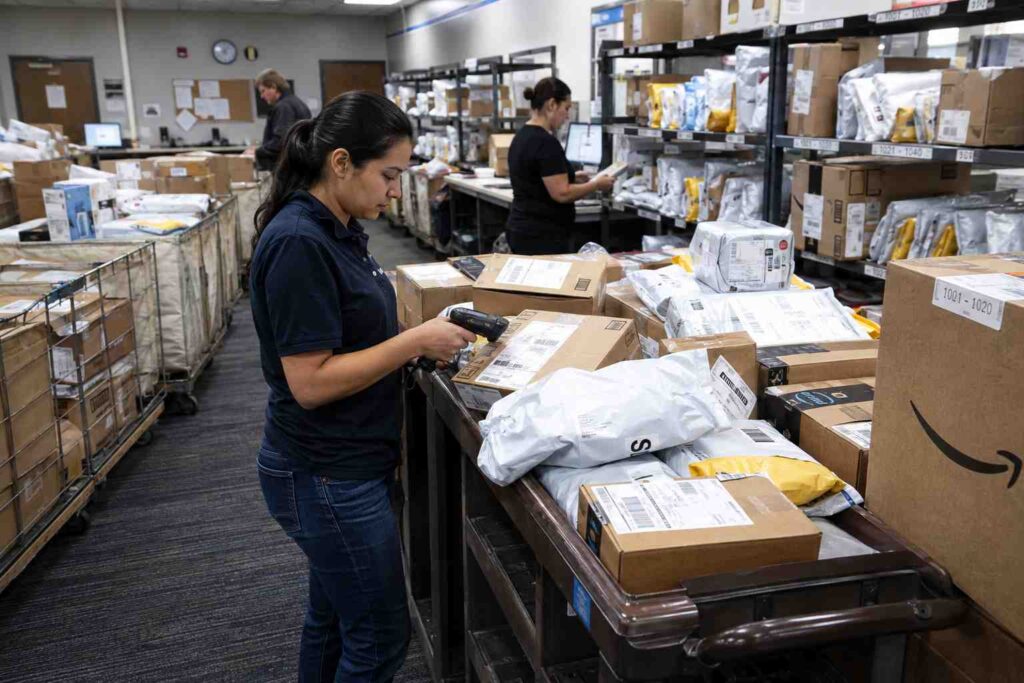
How to Prepare Package Tracking Software for Peak Season Volume Spikes
Preparing package tracking software for peak season means confirming your system can handle two to three times normal daily volume without slowing down intake, that notification and routing rules still work correctly at that scale, and that temporary or seasonal staff can be trained on it in minutes rather than days. Mailrooms that wait until the surge actually hits to find these gaps usually discover them in the worst possible week.
Why Peak Season Breaks Manual and Under-Scaled Systems
Package volume does not rise evenly throughout the year. It spikes hard around a handful of predictable windows, most notably the holiday shopping season from November through late December, but also around back-to-school move-in for universities, fiscal year-end procurement cycles for corporate and government offices, and any major promotional shopping event that drives a wave of online orders. A mailroom that comfortably logs 150 packages a day in a normal week can suddenly be facing 400 or 500 packages a day during one of these windows, all while staffing typically stays flat or is only modestly increased.
Carriers themselves plan aggressively for this. The U.S. Postal Service has said it plans to bring on roughly 14,000 seasonal employees this holiday season to handle the increase in mail and package volume, and it has added 614 new package sorting machines over the past five years, including 94 installed this year alone, specifically to keep processing capacity ahead of demand. That is a national logistics network with dedicated budget and lead time investing heavily in peak readiness. A mailroom or receiving operation relying on a paper log, a spreadsheet, or software that was never built to handle that kind of surge does not have the same cushion, and it shows immediately once volume climbs.
Where the Breakdown Actually Happens
The failure point during a volume spike is rarely the physical space to store packages. It is almost always the intake and notification workflow. A manual or lightly automated process that takes thirty seconds per package at normal volume adds up fast once daily intake triples, and every extra second per package compounds into hours of backlog by the end of a shift. Recipients who do not get a timely notification start walking to the mailroom to check in person, which pulls staff away from actually logging packages and makes the backlog worse. Misplaced or misrouted packages, which are a minor annoyance at normal volume, become a much bigger problem at peak volume because there are simply more packages sitting around waiting to be matched to the right recipient.
For example, a mid-sized corporate office that normally processes 120 packages a day with two staff members handling intake might see that climb to 350 packages a day during the two weeks before a major holiday. If each package takes even ten seconds longer to log than it should, whether from a clunky interface, a slow lookup process, or a paper system that requires manual cross-referencing, that adds up to roughly an hour of pure delay spread across the day, on top of the extra volume itself. Packages start piling up on carts and shelves faster than they can be checked in, and by the second or third day of the surge, the backlog is visible to anyone walking through the room.
What to Check Before the Surge Hits
A short readiness review a few weeks ahead of a known peak window can catch most of the problems that would otherwise surface mid-surge.
- Scanning speed at volume. Confirm barcode scanning and lookup stays fast when the package queue is long, not just when tested with a handful of items.
- Notification reliability at scale. Test that automated pickup notifications go out promptly even when dozens of packages are logged in a short window, rather than queuing up and arriving late.
- Multi-user and multi-device support. If extra staff or seasonal hires will be added during the surge, confirm the software supports multiple people logging packages simultaneously without conflicts or duplicate entries.
- Reporting visibility for management. Make sure whoever is overseeing the mailroom during peak season can see backlog and aging-package reports in real time, not just after the fact.
Software built around a documented chain of custody handles this kind of scaling far more predictably than a spreadsheet or paper log, since the underlying process, scan the package, log the recipient, trigger a notification, does not change as volume increases, it just runs more often. Purpose-built package tracking software is designed around that repeatable workflow specifically so it holds up under a volume spike instead of degrading.
Training Seasonal and Temporary Staff Quickly
Many mailrooms bring on temporary help specifically to get through a peak window, whether that is a seasonal hire, a staff member borrowed from another department, or a student worker in a university setting. Software that requires extensive training to use correctly works against you here, since the whole point of temporary staff is to add capacity quickly, not to spend the first several days of a surge getting someone up to speed.
A system with a simple, scan-first workflow, clear on-screen prompts, and minimal manual data entry can typically get a new person logging packages accurately within an hour, compared to a full day or more for a system that depends on institutional knowledge or manual cross-referencing against a separate list. This is one of the more overlooked advantages of a properly built system during peak season: it is not just faster for experienced staff, it is dramatically faster to hand off to someone who has never used it before.
Choosing the Right Edition and Modules for Peak Readiness
Not every mailroom needs every available feature year-round, but peak season is exactly when the case for additional modules becomes clearest. A basic core system may be sufficient for a steady, predictable volume, while add-on modules for mobile scanning, automated notifications, or self-service pickup can directly address the specific bottlenecks that show up during a surge, without requiring a full system replacement. Reviewing which modules and features are actually needed to handle a known peak window, rather than guessing, is a more reliable way to budget for readiness than adding capacity across the board.
A Realistic Example
Consider a university mailroom that handles a steady 80 to 100 packages a day for most of the semester but faces a two-week surge to 600 or more packages a day during the fall move-in period. In the weeks before move-in, the mailroom manager runs through a readiness checklist: confirms the scanning workflow holds up when tested against a simulated high-volume queue, verifies that automated text and email notifications are configured correctly and tested at scale, and trains four temporary student workers on the system in a single afternoon session. When move-in week arrives, the mailroom logs and notifies students for well over 500 packages a day without a growing backlog, because the readiness work was done in advance rather than improvised during the surge itself.
Reviewing Performance After the Surge Ends
The value of a peak-season readiness effort does not end when the surge itself winds down. The days immediately after a major volume spike are the best time to review how the system actually performed, while the details are still fresh and while the data from that specific window is easy to isolate from normal operations.
A useful post-surge review looks at a handful of concrete questions rather than a vague sense of how the week felt. How long did the average package sit before pickup during the busiest days compared to a normal week? Were there any days where the backlog visibly grew rather than staying flat or shrinking by end of shift? Did any particular bottleneck repeat itself, such as a specific time of day when deliveries clustered, or a specific building or department that consistently lagged behind others? A system that logs timestamps automatically makes this kind of review straightforward, since the data already exists rather than needing to be reconstructed from memory or handwritten notes.
This same review process is also the natural point to decide whether any changes made specifically for peak season, an added module, extra scanning stations, a temporary staffing increase, are worth keeping in place year-round rather than reverting once the surge passes. Some mailrooms find that a feature they treated as a peak-season-only necessity turns out to smooth out day-to-day operations enough that it earns a permanent place in the setup.
Frequently Asked Questions
How much can package volume actually increase during peak season? It varies by organization and season, but a two to three times increase over normal daily volume is common during major surges like holiday shopping season or university move-in, and carriers themselves scale staffing and equipment significantly to keep pace with national-level increases.
Do we need to add software modules just for peak season, or keep them year-round? That depends on your normal volume and budget. Some organizations add modules like mobile scanning or automated notifications permanently once they see the benefit, while others treat peak-season readiness as the trigger to evaluate whether those modules are worth adding at all.
How long does it take to train a seasonal worker on package tracking software? With a straightforward, scan-first system, most new users can be logging packages accurately within an hour, compared to a full day or more for a manual or poorly designed process.
Ready to see whether your current setup can handle your next volume spike? Get a quote and walk through your peak-season numbers with our team before the surge hits, not during it.
