
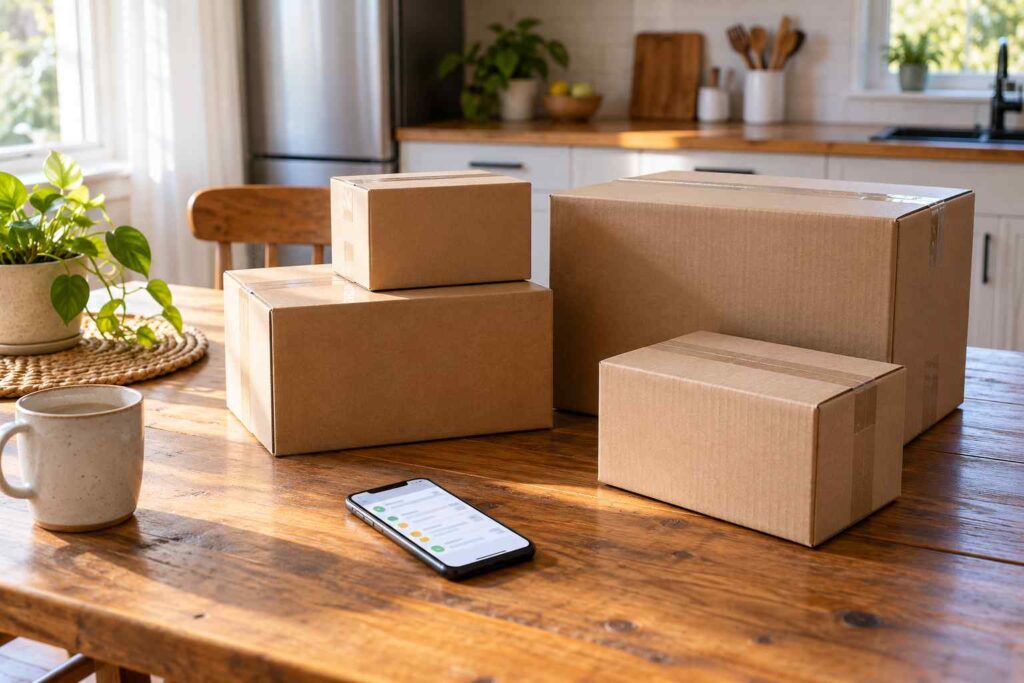
How Do I Track Several Packages From Different Carriers in One Place?
The easiest way to track multiple packages from different carriers in one place is to let your email do the work. If you use a personal Gmail account, the Purchases view gathers your orders. If you use an iPhone, the Wallet app can show orders from your email. Carrier accounts, free tracker apps, and a simple note on your phone also work. Which one is best depends on how many packages you get and how much setup you want to do.
No single carrier shows packages from the others, so you need a home base of your own. This guide covers every common method, what each one can and cannot do, and how to pick one so you stop opening five apps to find one box.
Why Do You Have Packages From So Many Carriers?
The answer is simple. Parcels come from a lot of places now. A report on the Pitney Bowes Parcel Shipping Index says U.S. parcel volume rose 3.4 percent to 22.4 billion shipments in 2024. The same report says Amazon handled 6.3 billion parcels, about 28 percent of the market. Another report puts the Postal Service at 6.9 billion parcels in the same year. That is a lot of boxes spread across a lot of carriers.
Here is a normal week. Maria orders paper towels from Amazon, a pair of shoes from a brand site, a bed frame from a furniture store, and a phone case from a small online shop. The paper towels come by Amazon’s own drivers. The shoes come by UPS, the bed frame by FedEx, and the phone case by USPS. That is four orders, four carriers, and four different tracking pages. Each carrier only shows its own packages, so you need a way to bring them together.
Can Your Email Track Packages for You?
Yes, and for many people this is the best place to start, because you do not have to type tracking numbers. Your email already holds the order and shipping messages. Some email and phone tools read those messages and show the status for you.
Gmail has two features for this. According to Google’s help page, “If your order email contains a tracking number, Gmail automatically uses the tracking number to look up the order status and make it easy for you to see.” Google says this works for participating carriers in the US. Its Purchases page says the Purchases view “gathers all your order, shipping, and delivery confirmations in one place” and “provides a timeline for upcoming deliveries.” One catch is that Google says this feature is available for personal Gmail accounts, so a work or school account may not have it.
Google Wallet can add to this. The Google Wallet help page says that when the feature is on, “Google Wallet automatically pulls order information from your Gmail,” and it may show receipts, tracking numbers, and shipping status. Google also says “a large number of the top US merchants are supported, but not all merchants.” You must turn on package tracking in Gmail first.
Apple has a similar tool. Apple Support says you can use Order Tracking in the Wallet app to view order status, an estimated arrival, or any issues with your order, along with delivery tracking links. Apple also says you can track orders in the Mail app on supported devices with iOS 26 or later. Wallet gets its details from merchants, so it only works when the store takes part.
The weak point of every email tool is the same. If a seller sends a plain message with no tracking number, or you ordered by phone, the order may not show up. When that happens, use a different method for those packages.

Do Carrier Accounts Show Everything?
Carrier accounts are useful, but each one only shows its own packages. Still, they give you the best detail and the most control, so they work well as a second layer.
USPS has a free tool called Informed Delivery. The USPS Informed Delivery page says you can preview incoming mail, see status updates about your incoming and outgoing packages, and manually add other USPS tracking numbers that you want to track. USPS also says the new Informed Delivery app offers push notifications and package tracking, including scanning tracking numbers or barcodes.
FedEx lets you look up several shipments at once. Its track by email page says, “You may include up to 30 order or tracking numbers in one email.” That helps when you have a pile of FedEx packages. UPS offers a free My Choice account for its own packages, though some features cost extra, as a May 2026 travel and delivery guide points out. Our guide on rerouting a package after it has shipped shows what these accounts let you change.
What About Store Accounts?
Your store accounts are a good source for the exact tracking link. Most stores list your orders with a track button. This is also the best place to check when something looks wrong, because the store knows what it shipped. Our article on why a package says delivered on the retailer’s app but not the carrier’s page explains why the two can differ for a short time.
If Amazon shows a different name than UPS or USPS, that is normal. Our guide on why Amazon shows Amazon Logistics covers it. The same goes for one order that splits into several boxes. Our article on why an order splits into multiple tracking numbers helps you keep each box straight.
Should You Use a Multi Carrier Tracking App?
Many free and paid apps and websites let you paste any tracking number into one list. They usually detect the carrier on their own, then show every package on one screen with alerts. For people who get many packages each week, that is a real time saver.
Use some care, though. Pick an app from a source you trust, such as your phone’s official app store, and read what it asks to access. Some apps ask to read your email so they can find orders, and you should decide whether that trade is worth it. Also be careful with websites that ask for anything beyond a tracking number. You should never need to enter a card number to see where a package is. We are not recommending a particular app here, since the right one depends on your phone and your privacy comfort.
The FTC warns that scammers use fake delivery messages, which also means fake tracking links are a risk. In its alert about fake USPS texts, the agency says not to click links in messages like these and to look up the status on the retailer or carrier site instead. Type the tracking number in yourself, and do not tap a link you did not expect.
Is a Simple List Good Enough?
For many households, yes. A note on your phone or a small spreadsheet is free, private, and works for every carrier. The cost is that you must update it yourself.
Priya keeps a note with one line per order. Each line has the item, the store, the carrier, the tracking number, and the date it should arrive. When a package lands, she deletes the line. On a busy week she may have six lines, and a quick look tells her what is still on the way. If a box goes missing, she already has the number and the carrier name for a claim. Our guide on how to file a lost package claim shows why that detail helps.
Which Method Should You Choose?
Match the method to your habits. If you shop online a lot and use personal Gmail or an iPhone, start with the email tools. If most of your boxes come by USPS, Informed Delivery is free and covers a lot. If you want one list for everything, a tracker app or a simple note will do the job. Many people combine two. For example, use Gmail Purchases as the main view and a carrier account for the carrier you use most.
Whatever you pick, turn on alerts. Text or email updates mean you do not have to check at all, and they let you grab a package before it sits on the porch. Keep your tracking numbers in one place until the order is done, and delete them after the package is home.
What Do You Do When the Information Does Not Match?
Different tools sometimes show different statuses. One may say delivered while another says out for delivery. A refresh or a few hours often fixes it. If it does not, open the carrier’s own tracking page, because that is the source of record. Our guide on why a package shows two carriers explains a common cause, and our article on packages marked delivered but not received covers the next steps when something truly goes missing.
Frequently Asked Questions
Is there one app that tracks UPS, FedEx, USPS, and Amazon together?
Yes, several multi carrier tracker apps do this, and email tools such as Gmail Purchases and Apple Wallet can also show orders from different stores. Pick one from a source you trust and check what it asks to access.
Does USPS Informed Delivery track UPS and FedEx packages?
USPS describes Informed Delivery as showing status updates about your incoming and outgoing packages and letting you manually add other USPS tracking numbers. For UPS and FedEx packages, use those carriers or an email or tracker tool.
How do I track packages in Gmail?
If your order email contains a tracking number, Gmail can use it to look up the order status. The Purchases view in Gmail gathers your order, shipping, and delivery confirmations in one place. Google says this is available for personal Gmail accounts.
How many tracking numbers can I look up at once on FedEx?
FedEx says you can include up to 30 order or tracking numbers in one tracking email.
What is the safest way to check a tracking number I got in a text?
Do not tap the link. Type the tracking number into the carrier website or check the store account where you ordered, as the FTC advises.
If you track packages for other people, such as in a mailroom, apartment complex, or business receiving area, TekCore’s parcel management software can show every carrier’s deliveries in one place.
