
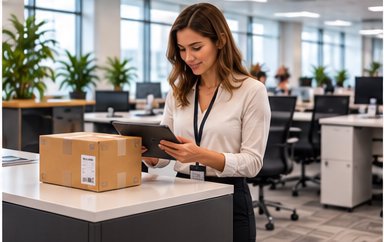
How Package Tracking Software Supports Hybrid and Remote Workplace Package Pickup Scheduling
Package tracking software supports hybrid and remote workplace package pickup by logging arrival status and letting employees choose or confirm when they will actually be in the office to retrieve a delivery, rather than assuming everyone is on-site daily to collect packages the moment they arrive. This prevents packages from piling up unclaimed on employees’ desks or in mailroom holding areas for days at a time when staff are only in the building two or three days a week.
Why Traditional Package Handling Breaks Down in a Hybrid Office
Most package tracking and mailroom processes were originally built around the assumption that employees are physically present every business day, so a notification sent the moment a package arrives would reach someone who could walk over and pick it up within hours. Hybrid work schedules break that assumption. An employee who works from home Monday, Wednesday, and Friday might receive a same-day arrival notification for a package that then sits untouched in the mailroom for two full days until their next in-office day, or longer if their schedule shifts that week.
This creates two related problems for facilities teams. First, mailroom storage space fills up faster than expected, since packages are held longer on average than they would be in a fully in-office environment. Second, employees frequently forget about a package by the time they are back in the office, since the original notification arrived days earlier and got buried under other messages.
How Tracking Software Adapts Notifications to Hybrid Schedules
Package tracking software built with hybrid work in mind can integrate with an organization’s existing scheduling or calendar system to understand which days a given employee typically works on-site. Rather than sending a single arrival notification and leaving the rest to the employee’s memory, the software can send a reminder notification closer to the employee’s next scheduled in-office day, timed so it arrives when the employee can realistically act on it.

Some systems go further and let employees set their own pickup preferences directly, confirming through a notification link which day they plan to collect a package, or requesting that a package be held until a specific date. This shifts the coordination burden away from mailroom staff having to track dozens of individual employee schedules manually, and instead lets each employee manage their own pickup timing through a simple confirmation step.
Handling Packages That Sit Unclaimed for Extended Periods
Even with better-timed reminders, some packages will still sit longer than a typical five-business-day holding window because of vacation, extended remote stretches, or an employee simply missing the notification. Facilities teams need a clear escalation path in the software for these cases, generally an automatic second reminder after a set number of days, followed by an alert to the employee’s manager or the facilities team if the package remains unclaimed past a defined threshold. Building this escalation directly into the tracking software prevents a mailroom shelf from slowly filling with forgotten packages that no one is actively managing.
A Practical Example
Consider a company where most employees work in the office Tuesday through Thursday. A package arrives for an employee on a Monday. Under a same-day-notification-only system, the employee gets a text Monday that they are unlikely to act on until Tuesday at the earliest, and the package sits in the mailroom overnight regardless. With schedule-aware tracking software, the same package triggers an initial arrival log immediately for record-keeping, but the employee-facing reminder notification is scheduled to arrive Tuesday morning instead, timed to when the employee is actually expected to be on-site and able to retrieve it that same day.
Reducing Mailroom Storage Pressure
Facilities managing hybrid workplaces often need more temporary package storage capacity than a fully in-office building of the same size would require, simply because average hold times are longer. Package tracking software that reports on average time-to-pickup by employee or department gives facilities teams real data to plan storage capacity accurately, rather than guessing based on anecdotal complaints about a crowded mailroom.
What to Look for When Evaluating Software for a Hybrid Workplace
Organizations evaluating package tracking software for a hybrid environment should confirm whether the platform can integrate with existing workplace scheduling tools, whether reminder timing is configurable per employee or department, and whether the reporting includes average hold time metrics that facilities teams can use for planning. It is also worth confirming how the software handles employees who work fully remote and rarely visit the office at all, since those cases may need a forwarding or alternative pickup workflow rather than a simple reminder schedule.
Getting Started
See how package tracking notifications can be timed around real employee schedules, or learn more about corporate package tracking software built for modern office environments. Ready to see how it works for your workplace? Schedule a demo.
