
Package Receiving Software That Captures Every Inbound Delivery in Seconds
Stop missing deliveries, chasing couriers, and digging through paper receiving logs. TekTrack® package receiving software lets your staff scan any carrier barcode and create a complete, searchable inbound package record in under ten seconds, with automatic recipient notification and digital proof of pickup included.
What Is Package Receiving Software?
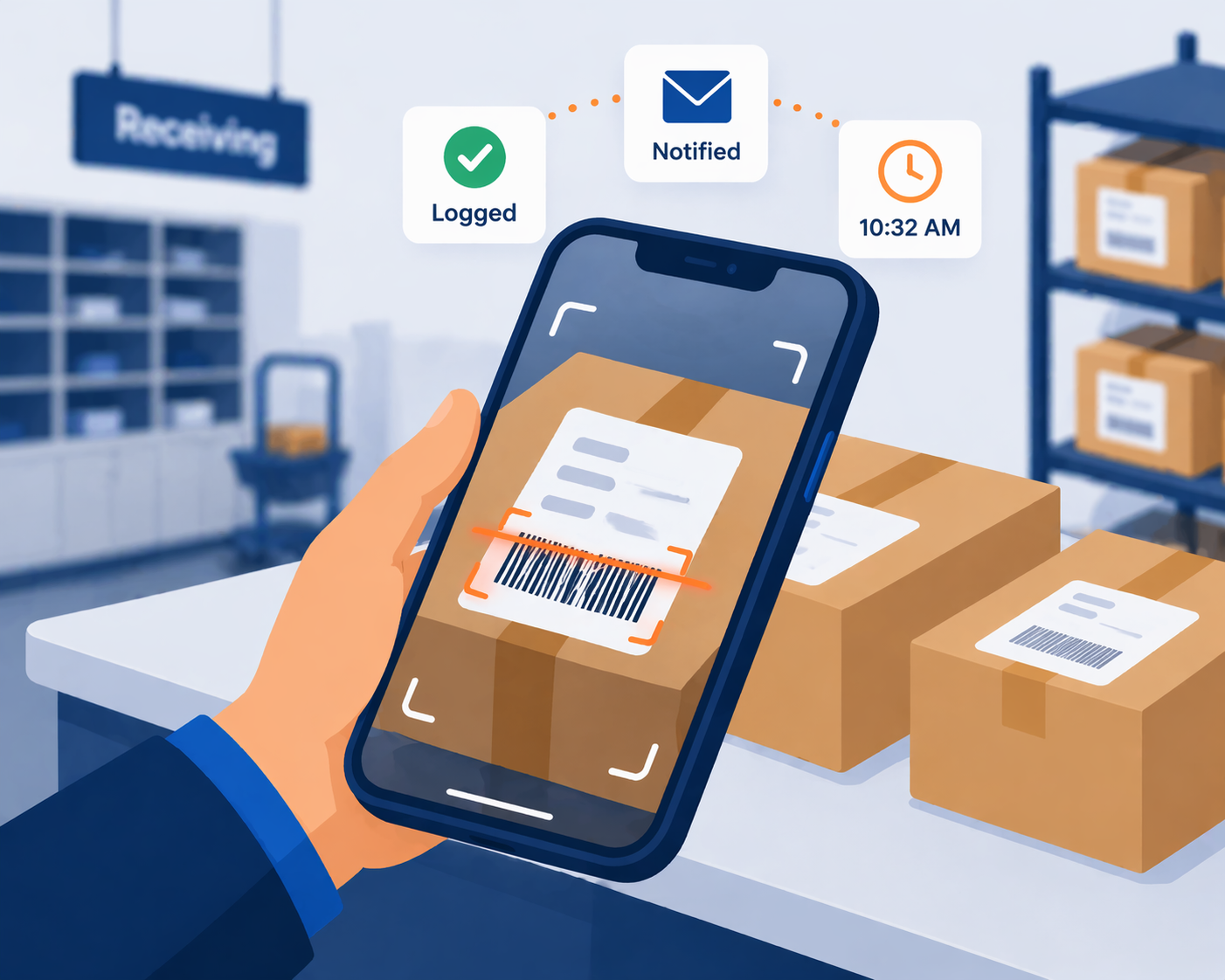
Package receiving software is a digital system that creates a verifiable record of every inbound delivery the moment it reaches your facility. Instead of writing recipient names and tracking numbers on paper or entering data manually into a spreadsheet, receiving staff scans the carrier barcode and the software captures all relevant data automatically (tracking number, carrier, recipient, arrival date, and exact timestamp), creating a searchable record in seconds with no manual typing required.
Unlike carrier-side tracking that only confirms a package reached your building, package receiving software tracks what happens after it arrives. It shows which packages are waiting for pickup, which recipients have been notified, which deliveries have been claimed, and which have gone unclaimed long enough to need a follow-up. For corporate receiving departments, campus mail centers, hospitals, and residential properties handling dozens or hundreds of deliveries a day, it replaces paper logs and shared spreadsheets with an auditable digital record that holds up in vendor disputes, internal audits, and damage claims.
Who Needs Package Receiving Software?
The organizations that benefit most from package receiving software are those where the gap between a package arriving and a package being properly documented creates real operational or financial risk.
Corporate Receiving Departments
When a supplier claims they shipped goods your team has no record of receiving, TekTrack® is what settles the dispute. Every inbound delivery is logged against a carrier barcode, time-stamped at intake, and searchable by vendor, PO number, or tracking number. Corporate receiving departments use TekTrack to match inbound shipments to open purchase orders and to maintain an intake record that holds up in vendor disputes, charge-back situations, and internal audits.
- Barcode-verified intake record for every vendor shipment
- PO number logging for procurement reconciliation
- Searchable receiving history by vendor, carrier, or date
- Formal refusal documentation when shipments are rejected
Campus Mail Centers & University Receiving
University mail centers absorb hundreds of packages in compressed morning delivery windows when multiple carriers arrive within hours of each other. TekTrack® lets multiple staff receive packages simultaneously across different campus entry points, processing each delivery in under ten seconds so nothing gets set aside to log later. Department-addressed packages for research labs, administrative offices, and academic departments are routed to the right contact automatically without manual investigation.
- Simultaneous multi-station receiving across campus entry points
- Rapid batch scanning clears high-volume carrier drop-offs
- Department routing for packages without a named recipient
- Student and faculty directory auto-match from enrollment systems
Hospitals & Clinical Facilities
Healthcare receiving departments handle shipments where condition at intake is not just a formality; it is a documentation requirement. TekTrack® captures a photo of every package at the moment of receiving, before it is moved or opened, creating a time-stamped condition record that is attached to the inbound receiving log. For temperature-sensitive supplies, high-value equipment, and controlled deliveries, that intake photo is the evidence that distinguishes transit damage from handling damage.
- Intake condition photo attached to every receiving record
- Time-stamped arrival documentation for regulated shipments
- Department-level routing to clinical units and supply areas
- On-premise deployment available for compliance-sensitive environments
Residential Properties & HOAs
Many residential communities cannot staff a receiving point around the clock. TekTrack® mobile receiving lets any authorized team member log deliveries from a smartphone the moment packages arrive, whether at a staffed front desk, an unstaffed side entrance, or a loading dock. Residents are notified the instant their delivery is logged, regardless of which entry point received it, and the receiving record is the same whether the package came in at 9am through the concierge or 4pm through the loading bay.
- Mobile receiving from any smartphone at any entry point
- Resident notified at time of intake, not end of shift
- Consistent receiving record regardless of entry point
- Multi-building coverage from a single management platform
Four Receiving Problems That Cost More Than They Should
Most receiving failures share a common root cause: the moment a package crosses your threshold, there is no automatic record of it. Package receiving software closes that gap at the point of intake.
A Vendor Claims Delivery. Your Records Show Nothing.
A supplier insists they shipped the order. The carrier’s system says “delivered.” But your receiving log has no entry for it. Without a time-stamped intake record tied to a carrier barcode, you cannot prove the shipment never arrived, and disputes almost always favor the party with documentation.
Packages Arrive Addressed to a Department, Not a Person
“Attn: IT Department” or “Purchasing – No Name” on a label gives your receiving staff no one to notify. The package gets set on a shelf while someone figures out who ordered it, and the person who placed the order has no idea it is sitting thirty feet away from them.
Damage Happens in Transit but You Have No Intake Photo
A crushed box, a punctured case, a visibly tampered seal. If your receiving team does not photograph the package at the moment of intake, there is no evidence that the damage existed before your staff touched it. Carrier and vendor damage claims without intake photos rarely succeed.
Staff Log Packages “Later” and Some Never Get Logged at All
When three carriers arrive in the same two-hour window, the instinct is to stack packages first and log them later. Later becomes end of day. End of day becomes tomorrow. Some packages never get entered at all, and by the time a recipient asks, no one can say with certainty whether it came in.
TekTrack® Package Receiving Software Overview
Watch a quick overview of TekTrack® package receiving software, from barcode scan through notification and recipient pickup.
Package Receiving Made as Easy as 1-2-3
Packages Arrive
Log packages into the system using your choice of hardware or device.
- PC scanner and desktop software
- Mobile computer, phone, or tablet
- Send optional email or text notification to recipient
Recipient Gets Notified
The moment a package is logged, TekTrack automatically notifies the recipient so they know their package is ready.
- Automatic email and text notifications
- Customizable notification templates
- Reminder alerts for unclaimed packages
Pickup with Proof
When the recipient collects their package, TekTrack captures a digital signature and proof-of-delivery photo to close the chain of custody.
- Digital signature capture at pickup
- Optional proof-of-delivery photo
- Complete searchable package history
Package Receiving Software Built for How Deliveries Actually Arrive
TekTrack® is designed around the realities of a receiving operation: multiple carriers, packages with incomplete addressing, high-volume windows, and the need for an intake record that holds up when a dispute arises.
One-Scan Package Receiving
Scan any carrier barcode and TekTrack® immediately creates a complete receiving record (tracking number, carrier, recipient identity, arrival timestamp) without a single keystroke of manual entry. When three carriers show up in the same two-hour window, your staff receives every package at the speed of a scan rather than the speed of handwriting.
Department and PO Routing
When a package arrives addressed to a department, cost center, or purchase order number rather than a named individual, TekTrack® routes it to the designated team contact automatically. PO numbers are logged against the receiving record for procurement reconciliation, so supply chain teams can match deliveries to open orders without manual cross-referencing.
Intake Condition Photography
Capture a photo of every package at the moment of receiving, before it is moved, opened, or handled further. The time-stamped intake photo is attached to the receiving record and becomes your evidence if a carrier or vendor damage claim turns into a dispute. It documents exactly what condition the shipment was in the moment it crossed your threshold.
Automatic Recipient Notifications
The instant a package is received and logged, TekTrack® notifies the recipient by email and optional SMS, eliminating the need for staff to make calls, send individual messages, or walk deliveries to desks. For packages addressed to a department, the designated team contact receives the alert automatically so nothing waits in a holding area for someone to investigate.
Searchable Digital Receiving Log
Every receiving record is searchable by recipient name, tracking number, carrier, arrival date, vendor, or PO number. Instantly, from any device. When a vendor disputes a delivery, you pull the record in seconds. When an auditor needs to see all shipments received from a specific carrier over the past quarter, the report runs without manual counting.
Digital Signature at Pickup
When a recipient collects their package, TekTrack® captures a digital signature tied to their verified identity and closes the receiving record with a confirmed pickup timestamp. The complete chain of custody (from intake scan through pickup signature) lives in a single auditable record that satisfies both internal accountability requirements and external dispute situations.
Real-Time Receiving Dashboard
See the live state of your receiving operation at a glance: packages waiting, packages with notifications sent, packages picked up, and packages flagged as unclaimed past their expected pickup window. Volume reporting shows daily and weekly receiving totals by carrier so you can anticipate high-volume windows and staff your receiving operation accordingly.
Cloud or On-Premise Deployment
TekTrack® Cloud starts at $99/month with no server installation required. TekTrack® On-Premise installs behind your firewall from $1,295 (one-time license). Both editions support the full package receiving software feature set, unlimited users, and complete inbound receiving history with no record limits.
Package Receiving Software vs. Manual Receiving Methods
See exactly why organizations switch from paper-based receiving to TekTrack® package receiving software.
| Capability | TekTrack® Package Receiving | Paper Log / Clipboard |
|---|---|---|
| Time to receive one package | Under 10 seconds | 1–3 minutes |
| Vendor dispute documentation | ✓ Barcode-verified timestamped record | ✗ No verifiable intake proof |
| Department-addressed packages | ✓ Auto-routed to team contact | ✗ Sits until someone investigates |
| Intake condition photo | ✓ Captured at point of receiving | ✗ Not possible with paper |
| Multi-station simultaneous receiving | ✓ Any number of concurrent stations | ✗ One log, one location |
| Refused package documentation | ✓ Formal refusal record created | ✗ No standard process |
| Recipient notification | ✓ Automatic at time of scan | ✗ Manual call or walk required |
| Searchable receiving history | ✓ Instant search by any field | ✗ Flip pages or scroll rows |
Package Receiving Software FAQs
What happens when a package arrives with a damaged or unreadable label?
When a carrier label is torn, smudged, or unreadable, TekTrack® lets your staff enter the tracking number manually or fill in package details through a guided form. A condition photo can be captured at that point to document the label damage. The receiving record is created with the same timestamp and completeness as a clean barcode scan; the only difference is the data entry method, not the quality of the record itself.
Can we run receiving at multiple entry points at the same time?
Yes. TekTrack® supports simultaneous receiving across any number of stations: a loading dock, a front desk, a mail room, or a satellite receiving point in a separate building. Multiple staff can log packages concurrently from different devices without creating conflicting records. All activity is consolidated in a single searchable receiving log organized by arrival time, entry point, and recipient.
How does TekTrack handle packages addressed to a department instead of a specific person?
TekTrack® supports department-level and cost-center routing. When a package arrives addressed to “IT Department,” “Facilities,” or a PO number with no named recipient, your staff assigns it to the appropriate team contact from your directory or creates a department receiving record. TekTrack notifies the designated contact for that department and logs the package with the department code for internal reconciliation, so it does not sit in a gray zone waiting for someone to investigate.
Can TekTrack log packages that are refused at the door?
Yes. TekTrack® includes a refusal workflow that creates a formal receiving record for packages rejected at the point of delivery. The record captures the carrier barcode, the reason for refusal, the staff member who refused it, and a timestamp. If a vendor later disputes the refusal, or if the carrier attempts redelivery of the same shipment, you have a documented record of the original refusal event tied to the tracking number.
If a vendor disputes a delivery we have no record of, what evidence does TekTrack provide?
TekTrack® creates a barcode-verified, time-stamped receiving record for every package your team logs. If a vendor claims delivery of goods that never appeared in your receiving log, you can search by date range, carrier, tracking number, or vendor to confirm the shipment was not processed. The completeness of your TekTrack receiving log (every other delivery for that period documented) is itself evidence that a missing entry reflects a missing package, not a logging oversight.
How does TekTrack handle a high volume of packages arriving in a short window?
TekTrack® is optimized for rapid sequential scanning. Staff can scan packages one after another (each taking under ten seconds from barcode to completed record) without waiting for the previous entry to process. For facilities with multiple entry points, additional receiving stations can be activated so the entire volume of a carrier drop-off is logged before the driver leaves. Recipient notifications go out in real time as each package is processed, so the pickup queue starts clearing immediately.
Modernize Your Package Receiving Process Today
See how TekTrack® package receiving software eliminates manual intake, speeds up inbound logging, and gives your team a complete receiving record that holds up when it matters.