
Package Tracking Software for Universities
Campus mailrooms receive hundreds of packages every day. TekTrack® is university package tracking software purpose-built for campus mailroom operations — logging every inbound package, notifying recipients automatically, and delivering with a confirmed signature without adding staff.
Campus Mailrooms Are Under More Pressure Than Ever
E-commerce has permanently changed how much universities receive. The average student gets several packages per month, and volumes spike dramatically during move-in, back-to-school, and the holiday season. Clipboards and spreadsheets were never designed for this.
When something goes wrong — a package sits unclaimed, a student disputes a delivery, or a high-value item goes missing — a manual paper log offers no defense. TekTrack is mailroom management software that creates a digital record for every package the moment it arrives, replacing error-prone manual processes with a complete digital mailroom software solution.
- No way to prove a student was notified or that a package was picked up
- Paper logs lost, illegible, or incomplete during high-volume periods
- Staff time wasted answering repeated status inquiries from students
- No visibility into unclaimed packages or storage capacity
- Student workers need days to learn manual systems — and then they leave at semester’s end
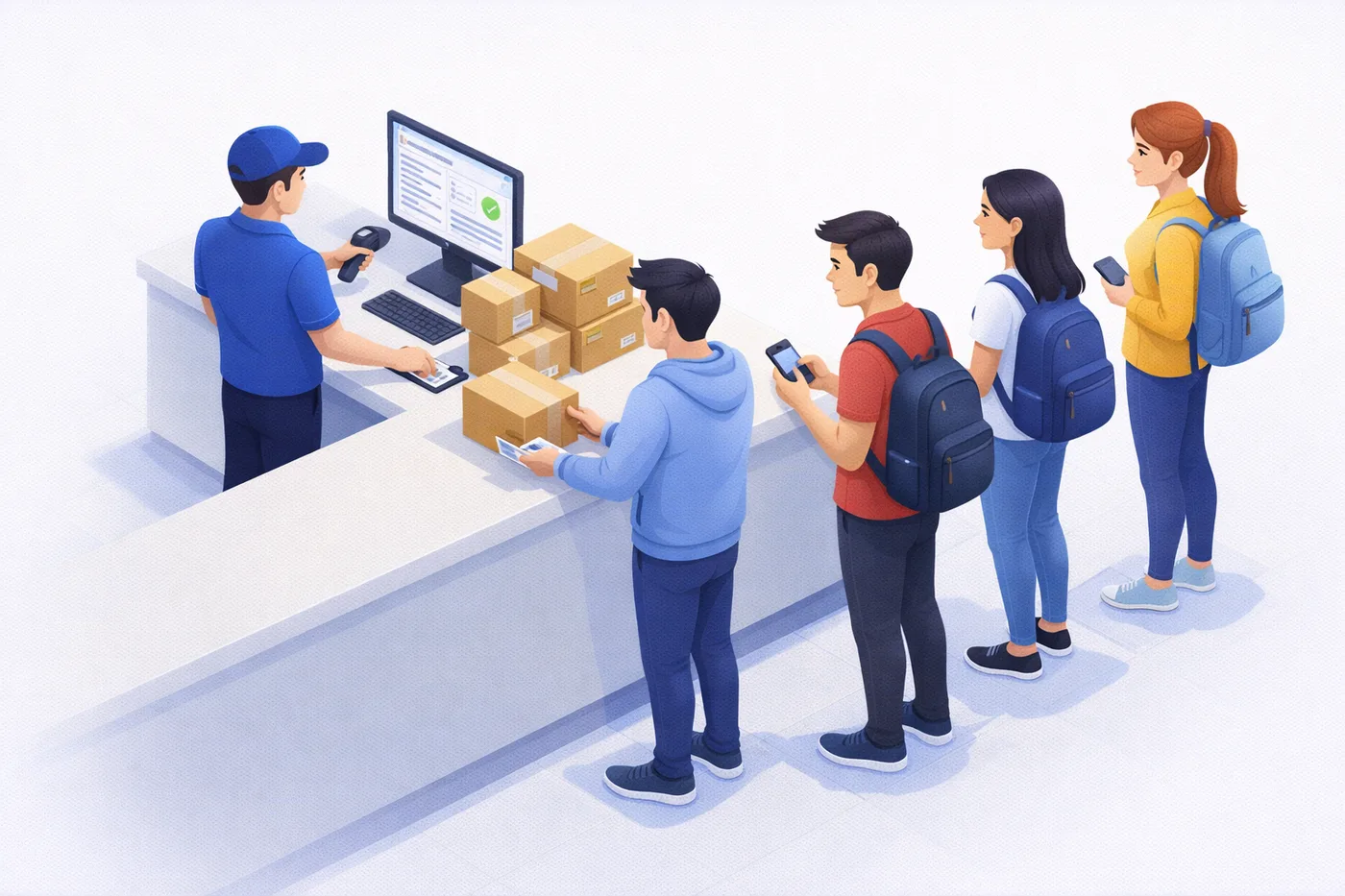
From the Loading Dock to the Student’s Hands
TekTrack is package tracking software for campus mailrooms that guides your team through every step — scan, alert, store, notify, and confirm — so nothing slips through regardless of who is working that shift.
Package Arrives on Campus
Staff scan the carrier label the moment the package arrives — at the mailroom counter, loading dock, or residence hall receiving area.
- SmartScan™ reads any carrier label and matches the student automatically
- Custom label printed with dorm building, floor, or internal address
- Special handling alerts fire immediately for flagged packages or recipients
- Storage location recorded so any staff member can find it instantly
Student Is Notified and Picks Up
The student receives an automatic notification and comes to the mailroom or receives a delivery at their building — no follow-up required from your staff.
- Email and text sent automatically at the time you configure
- Student swipes their campus ID card or signs on a signature pad
- Reminder notifications fire automatically for unclaimed packages
- Record closes with timestamp, staff name, and proof of receipt
Administration Has Full Visibility
Your mailroom supervisor and administration can see activity across every receiving point on campus without leaving their desk.
- Search any package by student name, carrier, date, or tracking number
- Identify unclaimed packages and how long they have been held
- Pull volume reports by building, carrier, or time period for staffing decisions
Features That Matter on Campus
TekTrack campus mailroom package tracking software is used by universities and colleges nationwide. These are the capabilities that matter most in a campus mailroom.
Student ID Card Scanning
Students swipe their campus ID card to pick up packages. TekTrack captures the swipe as proof of identity and automatically closes the delivery record — no signature pad required.
Email and Text Notifications
Students are notified automatically by email and text the moment their package is logged. Reminder notifications go out automatically for packages that haven’t been picked up after a set number of days.
SmartScan™ Barcode Processing
TekTrack reads any carrier label — UPS, FedEx, Amazon, USPS — and matches the package to a student in your directory automatically. No manual lookup needed, even during high-volume peak periods.
Active Directory Integration
Connect TekTrack to your existing student information system or Active Directory so your recipient list stays current automatically. No manual imports when students enroll or graduate.
Student Self-Service Portal
Students can check on their own packages, view delivery history, and see proof-of-pickup signatures without contacting your mailroom. Dramatically reduces inbound inquiries from your staff’s daily load.
Works Offline
Basement mailrooms and loading docks often have poor Wi-Fi. TekTrack continues processing packages without internet, cellular, or Wi-Fi, then syncs all records automatically when connectivity is restored.
Give Student Workers a Step-by-Step Playbook
University mailrooms run on student helpers who change every semester. With TekTrack campus mailroom package tracking software, you don’t rely on muscle memory or hoping someone remembers what to do — you configure the system to guide them through every step of your operation automatically.
On-screen alerts, custom workflow prompts, and configurable processing steps mean a brand new student assistant can open TekTrack on their first shift and follow your exact procedure, in the correct order, without supervision. If a package needs special handling — fragile, refrigerated, signature-required, hold for ID — TekTrack displays the instruction the moment that package is scanned.
You define the workflow once. TekTrack enforces it every time, for every student, regardless of experience level.
Scan the Package Label
TekTrack reads the carrier barcode and identifies the recipient automatically from your student directory — no manual lookup, no typing.
Follow On-Screen Instructions
Any special handling alerts appear immediately on screen — fragile items, packages requiring ID, oversized deliveries, or any condition you configure.
Assign a Storage Location
Staff enter the shelf, bin, or mailroom location. The package record is updated instantly so anyone on your team can locate it without asking.
Notification Fires Automatically
The recipient is notified by email and text with no additional step. The student worker is already on to the next package.
Confirm Pickup or Delivery
Student swipes their ID or signs. The record closes with a timestamp, the staff member’s name, and proof of receipt — everything documented, nothing left to chance.
Why University Mailrooms Choose TekTrack
From single-building campus mailrooms to multi-campus university systems, TekTrack scales to meet the demands of higher education.
See It Live in 30 Minutes
We’ll walk you through the full campus mailroom workflow in a free one-on-one demo tailored to how your university operates.
University Package Tracking Software FAQs
What is package tracking software for campus mailrooms?
Package tracking software for campus mailrooms is a system that logs every inbound package the moment it arrives at a university receiving point, notifies the student automatically by email or text, and confirms pickup with a campus ID card swipe or signature. TekTrack is purpose-built campus mailroom package tracking software that handles the full workflow — from loading dock scan to documented delivery — for universities of any size, including multi-building and multi-campus operations.
Can students use their campus ID card to pick up packages?
Yes. TekTrack supports magnetic card reader swipes for student ID cards. When a student presents their ID, TekTrack reads the card, identifies the student, and closes the delivery record automatically. This eliminates manual lookup and creates an unambiguous proof of pickup.
How does TekTrack handle the student directory? Do we have to import names manually?
TekTrack can connect to your Active Directory, student information system, or an ERP so your recipient directory stays current automatically. You can also import recipients manually via spreadsheet or CSV if a direct integration is not needed. Unlimited recipients are included in both editions at no additional cost.
Our mailroom is in a basement with poor Wi-Fi. Will TekTrack still work?
Yes. TekTrack includes a full offline mode that keeps your operation running without internet, cellular, or Wi-Fi. Staff can continue logging packages, capturing signatures, and completing deliveries. All activity syncs automatically to the server when connectivity is restored.
Can TekTrack send text messages, not just emails? Students don’t always check their student email.
Yes. TekTrack sends notifications by email, text message, and phone call. You can configure which notification types go out for each event — package arrival, reminder for unclaimed packages, and delivery confirmation — and each template is independently customizable.
We have multiple mail distribution points across campus. Can TekTrack handle that?
Yes. TekTrack supports multiple locations, buildings, departments, and distribution points within a single system. Each location can maintain its own workflows, recipient lists, and user access controls, while all package data is consolidated into one searchable record for your administration.
A student claims they never received their package. How does TekTrack help?
TekTrack stores the complete history for every package: when it arrived, which staff logged it, when the notification was sent, and when the student picked it up — including the ID card swipe or signature captured at pickup. You can pull that record in seconds and show it to the student or their parents.
How long does it take to get TekTrack set up and running?
Most university mailrooms are fully operational within a day or two. Cloud edition requires no PC software installation. Your recipient directory can be imported from a spreadsheet or synced from your existing systems. TekCore provides setup support to make sure your team is ready before go-live.
Can TekTrack guide student workers through our specific mailroom procedures?
Yes. TekTrack’s configurable workflows and on-screen alert system let you define exactly how packages should be processed at your mailroom — and the system presents those instructions to staff automatically during processing. You can set up step-by-step prompts for standard intake, configure alerts for packages that require special handling, and add custom fields that require staff to record specific information before a package can be logged. Student workers follow your procedure without needing to memorize it or ask a supervisor.
What is an inbound mail tracking system for universities?
An inbound mail tracking system for universities is campus mailroom package tracking software that logs every package the moment it arrives at a receiving point, notifies the student or staff member automatically, and maintains a searchable chain of custody through confirmed pickup or delivery. TekTrack is purpose-built for this workflow, with specific support for student ID card scanning, high-volume intake periods, multi-building campuses, and student directory integrations.
What is the difference between the On-Premise and Cloud editions for a university?
The right choice usually comes down to two factors: where your IT department wants the data, and how your network is structured. Cloud is the most common choice for universities because it requires no server installation, works from any device on or off campus, and includes automatic updates — which matters when your mailroom staff changes every semester. On-Premise stores all data on your own infrastructure, which some institutions require for data governance, FERPA compliance, or because they need the system to operate fully without internet access. Both editions include the same core features and unlimited students and staff. Your TekCore representative can walk you through the tradeoffs for your specific environment.
Looking for General Mailroom Management Software?
TekTrack is also used by corporate offices, hospitals, residential buildings, and government facilities — same barcode scanning, automatic notifications, and chain-of-custody tracking, built for every mailroom environment.
Ready to Bring Order to Your Campus Mailroom?
Schedule a free one-on-one demo and we’ll walk you through TekTrack’s complete university mailroom workflow, tailored to how your campus operates.