
What Is Inbound Package Tracking Software? A Complete Guide for Organizations
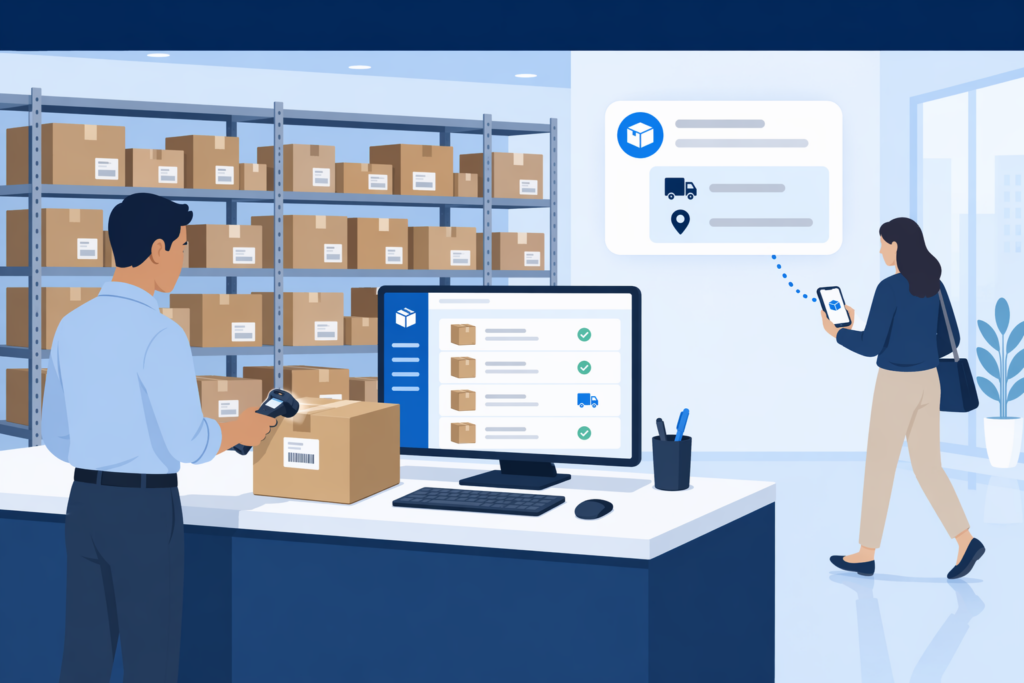
Inbound package tracking software is a digital system that records, monitors, and manages every package from the moment it arrives at your facility to the moment the intended recipient picks it up. It replaces paper logs, spreadsheets, and guesswork with fast digital logging, automated notifications, and searchable records. If your organization receives more than a handful of deliveries each day and you still rely on manual methods to keep track of them, this guide will explain what this software does, why it matters, and how to choose the right solution.
The numbers behind this problem are hard to ignore. The Pitney Bowes Parcel Shipping Index reports that U.S. parcel volume reached 22.4 billion shipments in 2024. McKinsey projects global parcel volumes will exceed 200 billion by 2030. Meanwhile, Security.org’s 2025 Package Theft Report estimates 37 million packages worth more than $8 billion were stolen in the United States in a single year. A large share of those losses happen not on front porches, but inside the buildings packages were delivered to, because the tracking methods in place were never built for this volume.
What Does Inbound Package Tracking Software Actually Do?
At its core, package tracking software designed for inbound operations handles five key tasks that manual processes struggle with:
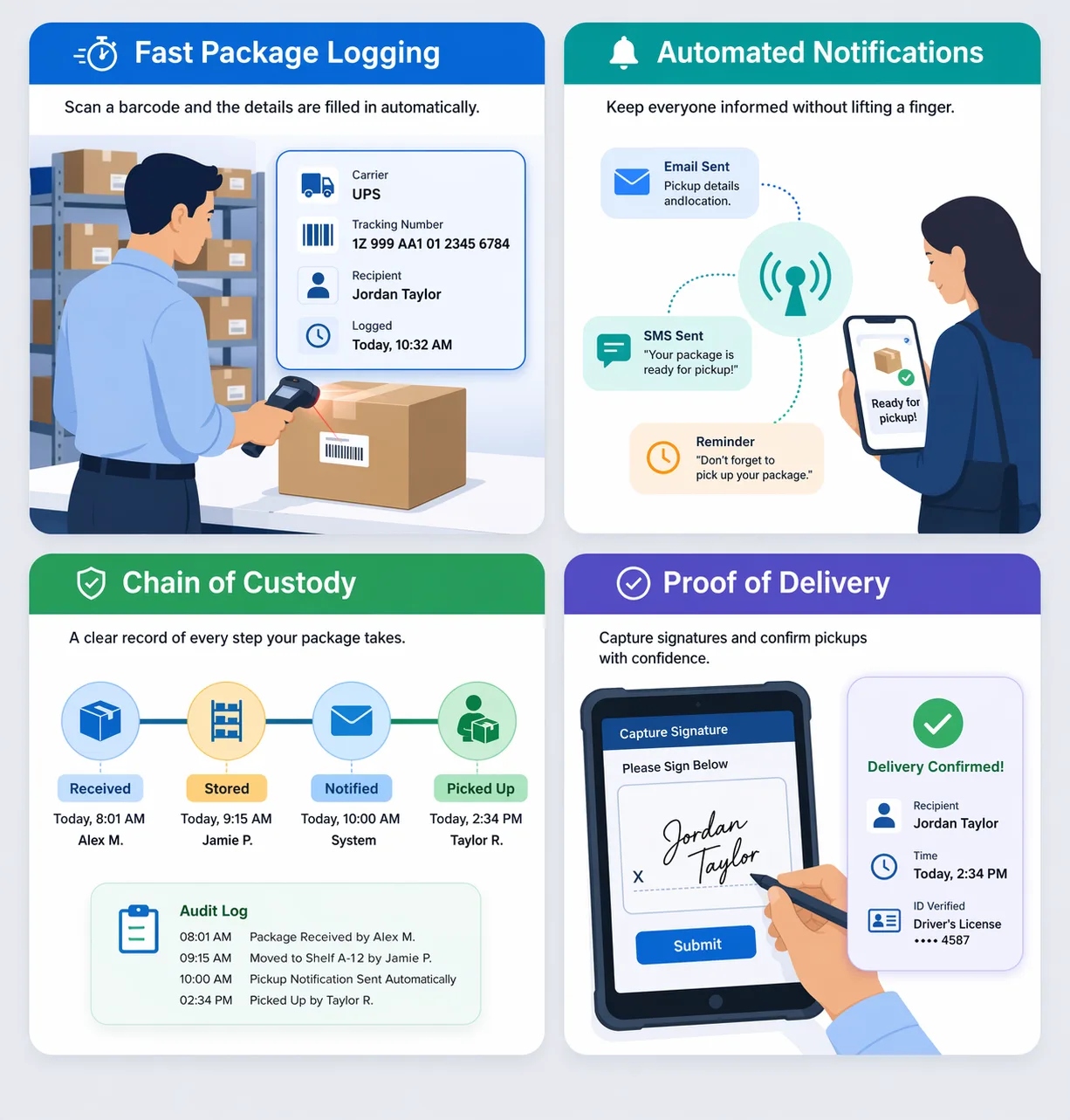
- Intake logging. When a package arrives, a staff member logs it using a barcode scanner, smartphone camera, or manual tracking number entry. The software identifies the carrier, pulls the tracking number, and matches the package to a recipient in your directory. The entire process takes seconds instead of minutes regardless of the input method.
- Recipient notification. The moment a package is logged, the software sends an automatic email, text message, or both to the recipient. Unclaimed packages trigger automatic reminder alerts after a set period you define.
- Storage and status tracking. Every package has a real-time status: received, notified, stored, picked up, or forwarded. Staff and recipients can see that status without walking to the mailroom or calling the front desk.
- Proof of delivery. When the recipient collects their package, the software captures a digital signature, timestamp, and optional photo. This closes the loop on accountability and creates a record that protects both the mailroom team and the recipient.
- Reporting and analytics. Dashboards and reports show daily volume, peak delivery times, average time-to-pickup, and carrier distribution. These numbers help facilities managers make staffing and storage decisions based on real data rather than gut feel.
Consider a mid-size corporate office that receives 150 packages per day from six different carriers. Without package tracking software, a mailroom clerk might spend three to five minutes per package writing down names, tracking numbers, and carrier details by hand. That adds up to seven and a half to twelve and a half hours of manual data entry every single day. With a digital package tracking system, the same 150 packages can be logged in under 25 minutes, freeing the rest of the shift for actually delivering packages to recipients.
Why Manual Package Tracking Methods Fail at Scale
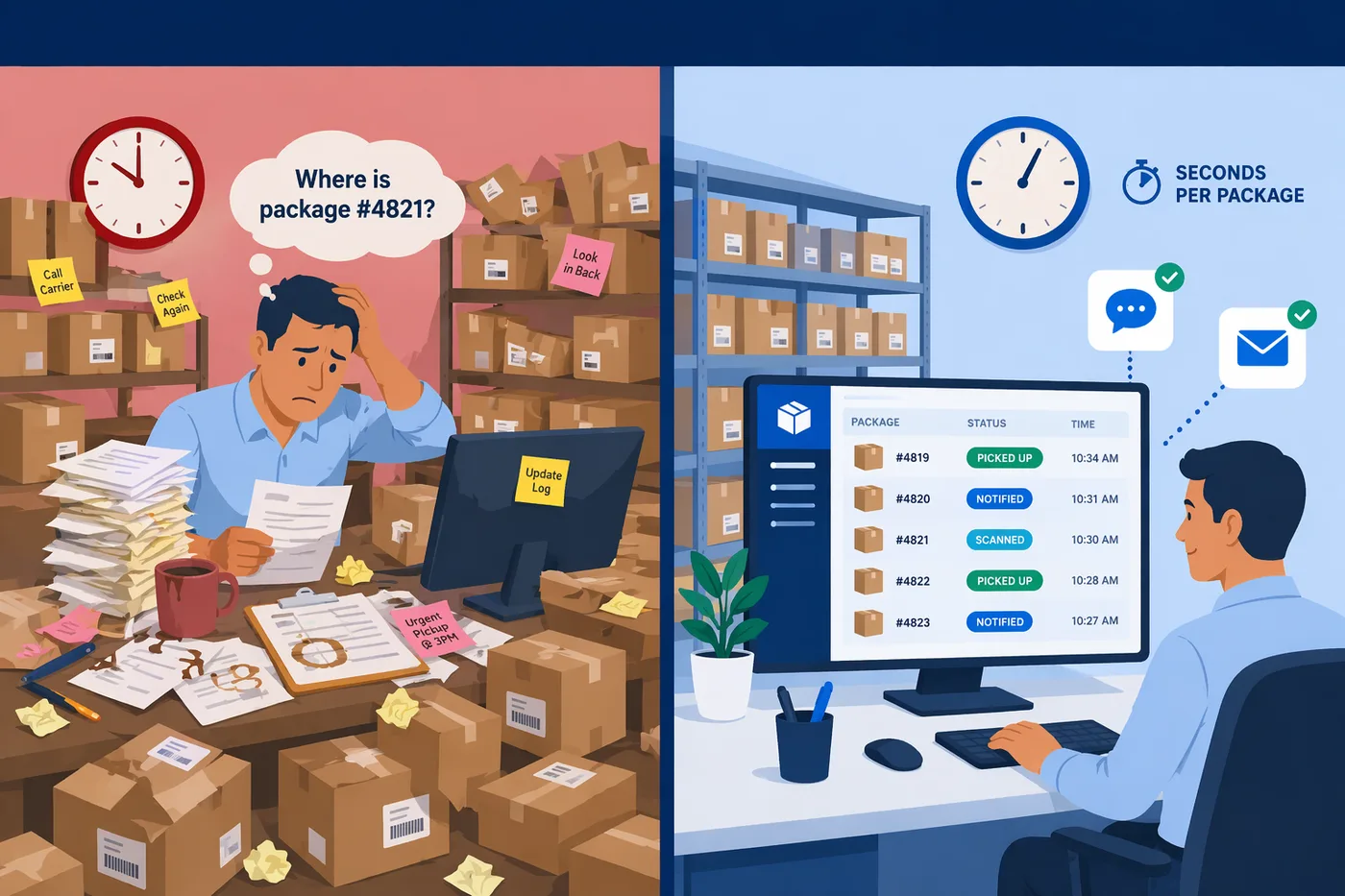
Paper logs, spreadsheets, and shared email inboxes were never designed for high-volume inbound package operations. According to a Statista study, businesses waste an estimated $20 billion annually due to poor mail management. The failure points are specific, predictable, and almost universal once volume crosses a certain threshold.
Volume Is Outpacing Your Process
U.S. e-commerce sales reached $1.192 trillion in 2024, more than double the $571 billion recorded in 2019. That growth translates directly into more packages arriving at office mailrooms, apartment lobbies, campus mail centers, and hospital receiving docks. Package volume at many facilities has increased more than 35% in the last five years, while traditional letter mail has declined roughly 20%. The physical infrastructure and staffing models built for envelopes cannot absorb this shift. A Pitney Bowes campus logistics survey found that 70% of universities report increased or significantly increased package deliveries compared to just three to five years ago, and 59% still funnel all packages through a central mailroom, creating a bottleneck that grows worse every semester.
The “Ship to Work” Trend Compounds the Problem
A workplace survey found that 69% of office workers have received personal packages at work. The reason is straightforward: 74% of package thefts happen during daytime hours when employees are away from home, according to research from Edelman Intelligence. Office foot traffic grew 15.93% year-over-year in 2024 and another 10.34% in January 2025, which means more employees in the building and more personal deliveries mixed in with business shipments. Corporate mailrooms now juggle vendor deliveries, office supplies, and employees’ personal orders simultaneously. Without a system to separate and route these, the mailroom becomes a dual-purpose operation that was only designed for one purpose.
Manual Logging Burns Time and Drives Turnover
Manual logging typically takes three to five minutes per package. Across 100 daily deliveries, that is five to eight hours of data entry before a single package reaches its recipient. Staff at Lancaster University in the UK reported spending five to six hours per day on manual parcel administration alone, most of it spent searching for and verifying items rather than distributing them. A Spaces4Learning survey found that 36% of college and university operations professionals identified “too few staff” as their most significant mailroom obstacle, yet only 26% anticipated adding personnel. The remaining 72% plan to handle rising volume with the same headcount. Industry research identifies repetitive manual data entry as a leading cause of high turnover in facility roles; the work is tedious, the volume is relentless, and trained replacements take time the operation cannot spare.
Data Entry Errors Cascade Into Bigger Problems
When staff hand-write carrier names, recipient names, and tracking numbers, small mistakes compound quickly. Imagine a hospital mailroom that receives a pharmaceutical shipment addressed to “Dr. K. Patel” but the clerk writes “Dr. K. Patal.” When Dr. Patel calls to ask about the delivery, the search comes up empty because of a single letter. In organizations that handle regulated deliveries, a logging error like this can trigger compliance reviews that extend far beyond a delayed parcel. Digital package tracking software eliminates this category of error by pulling carrier data directly from the label, whether through barcode scanning, photo-based OCR, or tracking number lookup. The difference is measurable: Vita Student, a major UK student housing provider, achieved 99% logging accuracy after switching from manual methods to a digital system.
Packages Disappear After They Arrive
Without a structured system, packages pile up in storage areas, on desks, and in hallways. Staff may sign for a delivery and set it aside with the intention of notifying the recipient later, only to forget. The result is a growing backlog of unclaimed parcels and a frustrating “treasure hunt” every time someone asks about a package. Picture a property management office where 40 unclaimed packages sit in a back room because nobody sent pickup notices. Residents call the front desk, staff search shelves manually, and the cycle repeats the next day. Industry data shows that campuses using digital tracking systems saw a 30% reduction in lost or misplaced packages, which tells you how large the problem was before the systems were in place.
Storage Space Runs Out Before Packages Get Picked Up
The same Pitney Bowes campus survey found that 77% of universities lack adequate storage capacity for incoming packages. But this is not just an academic problem. Apartment lobbies, corporate mailrooms, and coworking spaces all face the same constraint: package volume has grown exponentially, but the physical footprint of the receiving area has stayed the same. Overflow parcels end up in hallways, under desks, and in borrowed closets. Industry reports note that overflow parcels frequently violate building fire codes and create safety hazards. Cluttered lobbies also undermine first impressions; workplace studies show that 44% of visitors cite a greeting at the door as the single biggest influence on their perception of an office. A lobby full of stacked boxes sends the wrong message.
Peak Periods Break Everything That Barely Works
Even organizations that manage daily volume tolerably well can fall apart during peak periods. Black Friday/Cyber Monday 2025 generated $44.2 billion in U.S. Cyber Week online spending, with 202.9 million consumers participating over five days. The mailroom impact is direct: those orders ship to workplaces, apartments, and campuses within days. Industry data shows that peak volume surges 25% to 30% above normal during these events, overwhelming storage capacity and processing speed simultaneously. Universities face their own peaks during move-in week (August through September) and the pre-holiday rush (early to mid December). If your process barely works at normal volume, peak season will expose every weakness.
Nobody Can Answer “Where Is My Package?”
Paper logs and local spreadsheets lock information behind physical access. If the person who logged a package is out sick, or if the spreadsheet lives on a single desktop, nobody else can answer status inquiries. A GetApp survey found that 95% of reviewers rated package tracking as an important or highly important feature when evaluating mailroom management software. That number reflects a universal frustration: people need to know where their packages are, and they need to know right now, not after someone flips through a binder. The same Pitney Bowes survey found that 77% of organizations cite delivery and pickup logistics as a major operational issue, and 47% experience delays when recipients try to collect their packages.
Compliance Gaps Create Legal Exposure
For healthcare organizations, untracked mail and packages are a compliance liability. HIPAA requires that entities protect the privacy, integrity, and accessibility of protected health information, and that extends to physical mail and packages that contain PHI, lab specimens, or pharmaceuticals. Healthcare facilities must maintain audit trails recording what was received, when, by whom, and where it was stored. FP Mailing Solutions notes that organizations need badge-restricted access, locked storage cabinets, and supervisory oversight for sensitive deliveries. HIPAA penalties range from $100 to $50,000 per violation depending on severity. Government, legal, and financial services organizations face similar documentation requirements. A paper log provides none of this accountability.
Perishable and Time-Sensitive Deliveries Cannot Wait
The rise of meal-kit delivery services, grocery shipments, and temperature-sensitive medical supplies has added a new dimension to the mailroom challenge. The industry term for these is “rot-clocks”; every minute a perishable item sits unprocessed is a minute closer to the shipment becoming unusable or unsafe. A medical lab specimen that sits in a warm mailroom for three hours because the recipient was never notified is not just a lost package; it is a wasted patient visit and potentially a delayed diagnosis. Manual processes that take hours to log and notify simply cannot accommodate time-sensitive items.
Core Features to Look for in Inbound Package Tracking Software
Not all solutions are created equal. When we evaluate package tracking solutions for inbound operations, these are the capabilities that separate effective platforms from generic workarounds.
Fast, Flexible Package Logging
The foundation of any reliable package tracking system is the ability to log a package quickly and automatically populate the relevant data fields. The best platforms support multiple input methods: barcode scanning (1D and 2D), photo-based OCR that reads label text directly, and manual tracking number entry for packages with damaged or missing barcodes. This flexibility means no package falls through the cracks regardless of its condition or carrier. A University of Wisconsin-Milwaukee mail center reduced staffing from three people to one at each desk after switching from manual logging to a digital system. Modern OCR engines achieve 99.9% accuracy and can read damaged labels, cursive handwriting, and smudged packaging.
Automated Recipient Notifications
The moment a package is scanned in, the recipient should know about it. Automated package tracking notifications via email, text, or both ensure that recipients retrieve their deliveries quickly. This reduces storage congestion, lowers the risk of lost items, and eliminates the need for mailroom staff to chase people down. The best notification systems also send automated reminders for unclaimed packages after a period you define. Imagine a 500-unit apartment complex where the concierge logs 80 packages each morning. Without automated alerts, they might spend two hours making phone calls. With them, recipients get a text and most pick up within the same day, keeping the package room manageable and turnover high enough to handle the next morning’s batch.
Chain-of-Custody Documentation
A complete chain of custody record tracks every touchpoint from initial scan to final pickup. This means logging who received the package from the carrier, where it was stored, who was notified, and who ultimately signed for it. Each handoff is timestamped and attributed to a specific individual. For organizations in healthcare, government, legal, and financial services, chain-of-custody tracking is not optional; it is a compliance requirement. For everyone else, it provides the accountability needed to resolve disputes and prevent internal theft. Lancaster University saved 7,542 staff hours annually after implementing a system that replaced manual chain-of-custody tracking with automated digital logging.
Mobile Scanning and On-the-Go Processing
Modern mailroom operations do not always happen at a fixed desk. Delivery drivers may drop packages at loading docks, side entrances, or directly to departments. Mobile scanning lets staff log packages from anywhere using a smartphone or tablet. This is especially valuable for organizations with multiple buildings or distributed campuses. A corporate campus with three buildings and two loading docks cannot funnel every FedEx, UPS, and Amazon delivery through a single mailroom. Mobile-equipped staff scan packages at each dock and the system updates in real time across the entire facility. The best solutions require no specialized hardware; a smartphone and an active subscription should be enough to get started.
Proof of Delivery and Signature Capture
When a recipient picks up their package, the system should capture confirmation, whether that is a digital signature, a badge scan, or a photograph. Proof of delivery closes the loop on accountability. It protects the mailroom team from false claims of missing packages and gives recipients confidence that the process is secure. This feature matters most in environments with high-value deliveries; during BFCM 2025, the most common purchases were electronics and apparel, both categories with high resale value and elevated theft risk. Without proof of delivery, resolving “I never received it” disputes becomes a he-said-she-said exercise that wastes hours.
Directory Integration
One of the fastest ways to eliminate recipient-matching problems is to integrate your inbound package tracking solution with your existing employee or resident directory. Platforms that connect with Active Directory, LDAP, or property management systems can auto-match incoming packages to recipients based on partial name matches, department codes, or unit numbers. Carrier labels frequently use abbreviated names, maiden names, or department codes that do not match internal directories. Without directory integration, staff research every discrepancy by hand, slowing intake and increasing the chance of misdelivery. This problem is especially acute at universities where students may register under legal names but receive packages addressed to preferred names.
Self-Service Recipient Portal
A self-service portal lets recipients check the status of their packages, view delivery history, and see proof-of-delivery records without contacting mailroom staff. This feature alone can dramatically reduce the volume of inquiries your team handles each day. Consider a university mail center during the first week of fall semester, when “has my package arrived?” inquiries can double or triple. A self-service portal absorbs that volume by letting students check their own status from a phone. Georgetown University processes nearly 3,000 packages daily; at that scale, even a small percentage of recipients calling or visiting to check status would overwhelm staff if there were no self-service option.
Reporting and Analytics
Facilities managers and operations leaders need data to make informed decisions about staffing, storage, and workflow optimization. Your package tracking platform should offer real-time dashboards and historical reporting on daily package volume, average time-to-pickup, peak delivery hours, and carrier distribution. The same Pitney Bowes survey found that 63% of organizations lack comprehensive insight into their shipping, receiving, and postage expenses across departments. Without this visibility, you cannot justify budget requests, plan for peak periods, or identify which carriers cause the most processing overhead. Industry data suggests organizations can reduce mailroom operating costs by up to 60% by implementing mailroom automation workflows informed by this kind of reporting.
Who Uses Inbound Package Tracking Software?
Inbound package tracking software serves any organization that receives packages on behalf of others. The most common environments include:
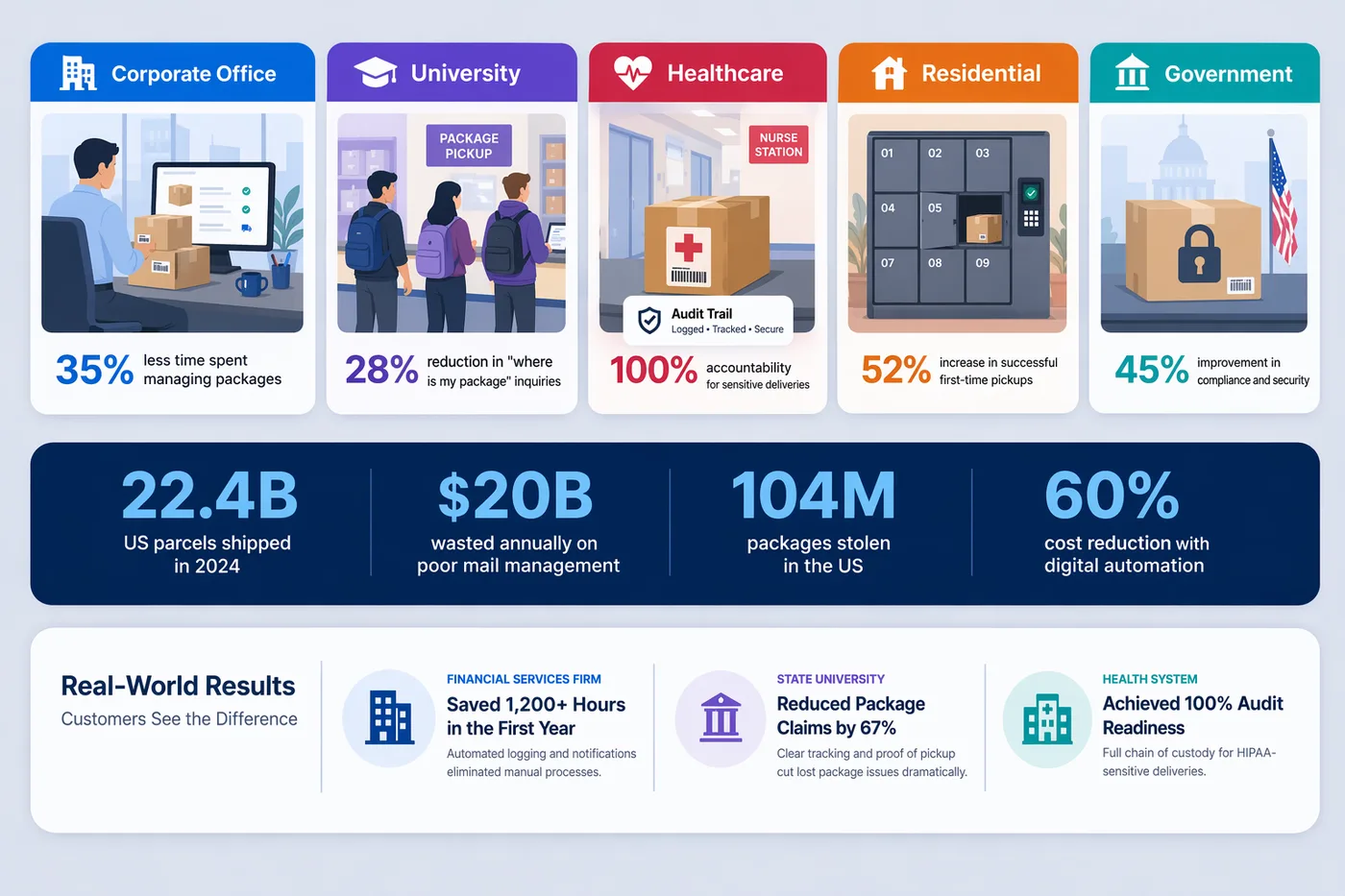
- Corporate offices. Large companies with centralized mailrooms handle hundreds of deliveries per day from multiple carriers. Corporate package tracking eliminates the paper sign-in sheet and gives every employee real-time visibility into their deliveries. With 69% of office workers now receiving personal packages at work, the volume includes far more than just business shipments; your mailroom has become an extension of every employee’s home delivery address.
- Universities and campuses. University package management software helps mail centers handle the surge of student deliveries during move-in, holiday shopping, and online ordering peaks. The average campus resident receives 66 packages per year. Georgetown University processes nearly 3,000 daily; Penn State handles 800 to 1,000. Some campuses process tens of thousands per week during peak events like Amazon Prime Day and Black Friday. With only 26% of institutions planning to add staff, software is the only viable scaling strategy.
- Hospitals and healthcare facilities. Hospital mailroom software tracks medical supplies, pharmaceuticals, lab specimens, and personal staff packages with the chain-of-custody rigor that HIPAA compliance demands. Temperature-sensitive medical deliveries are effectively on a countdown clock where even a short processing delay can render a shipment unusable. Manual processes that take hours to log and notify are incompatible with time-sensitive clinical materials.
- Residential communities and apartments. Residential package tracking software gives property managers a documented record of every delivery and every pickup, reducing disputes and keeping package rooms organized. With 41.8 million Americans experiencing package theft in 2025 alone, residents increasingly expect secure, documented handling from their building management. Proof of delivery protects the property team when a resident claims a package was never received.
- Government and institutional facilities. Government offices, courthouses, and federal buildings require strict delivery accountability. Inbound package tracking software provides the audit trails, badge-restricted access logging, and on-premise deployment options these environments need to meet security and documentation requirements.
Inbound vs. Internal Package Tracking: What Is the Difference?
We often get asked how inbound tracking differs from internal package tracking software. The distinction is straightforward. Inbound package tracking covers everything from the moment a carrier delivers a package to your building through recipient notification and pickup. Internal package tracking covers the movement of packages, mail, and documents between people, departments, or buildings within your organization.
Many organizations need both. A package arrives from FedEx (inbound tracking handles it), gets logged and stored, and then needs to be delivered from the central mailroom to a specific department three floors up (internal tracking handles it). The best mailroom management software platforms handle both workflows in a single system, so there is no gap in visibility between the carrier handoff and the final recipient pickup. Organizations with multiple buildings or campuses especially benefit from this integration, because a package that crosses from one building’s receiving dock to another building’s department is both an inbound and an internal delivery.
How to Evaluate an Inbound Package Tracking Solution
If your organization is ready to move beyond manual methods, here is a practical checklist for evaluating solutions:
- Carrier compatibility. Can the software log packages from all the carriers that deliver to your facility? FedEx, UPS, USPS, Amazon, and DHL are the minimum. Regional carriers and freight companies matter too, especially for organizations that receive oversized or palletized shipments. Make sure the system handles packages without scannable barcodes as well.
- Device flexibility. Does the software work on the hardware you already own? Look for solutions that run on Windows desktops, iOS and Android phones, and tablets without requiring proprietary equipment. The best platforms in this space require no specialized hardware, and we agree. A solution that locks you into proprietary scanners creates a dependency and increases cost.
- Deployment options. Do you need a cloud-based solution, an on-premise installation, or both? Organizations with strict data residency requirements, limited internet access, or high-security environments may need an on-premise option that works without a network connection.
- Notification channels. Does the system support the communication channels your recipients actually use? Email and text are standard; some platforms also support Slack, Teams, or push notifications. For universities, text notifications tend to produce faster pickup times than email because students live on their phones.
- Integration depth. Can the software connect with your existing directory, visitor management system, smart lockers, or facilities management suite? Seamless integrations reduce duplicate data entry and keep your tools working together. Over 50 pre-built integrations is a good benchmark to look for.
- Scalability and pricing model. Will the platform handle your current volume and grow with you? Some solutions charge per package; others offer unlimited volume on a flat subscription. With global parcel volumes on track to exceed 200 billion annually by 2030, you want a system that scales without surprise fees. Ask vendors what happens to your bill when BFCM volume spikes 30%.
- Compliance features. If your organization handles regulated deliveries (healthcare, government, legal), verify that the platform supports audit trails, role-based access controls, and on-premise deployment with encryption. HIPAA penalties run up to $50,000 per violation; the cost of compliant software is a fraction of a single fine.
- Trial or demo availability. We always recommend testing a solution with real packages in your real environment before committing to a contract. A system that looks great in a demo may not handle your specific carrier mix, label formats, or directory structure.
TekTrack is built around every capability described in this guide: multi-method intake logging, automatic recipient matching, configurable notifications, full chain-of-custody documentation, and both cloud and on-premise deployment. If your organization is evaluating solutions, you can compare editions and features or schedule a demo with your actual packages.
