
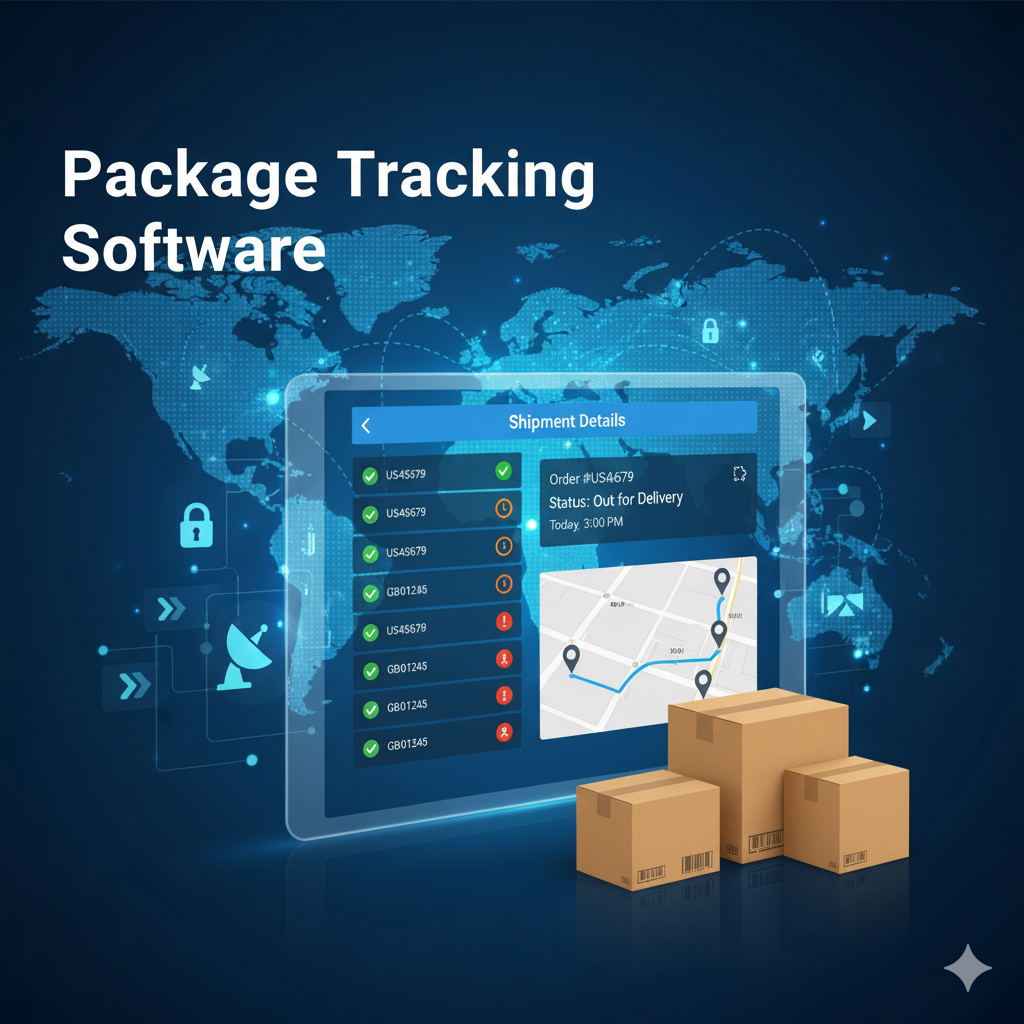
Package Tracking Software Buying Guide: How to Choose the Right System
This package tracking buying guide walks you through every step of choosing inbound package tracking software for your organization. Whether you manage a corporate mailroom, a university mail center, a hospital receiving dock, or a residential community, the evaluation process is the same: define your requirements, compare solutions against what matters most, and avoid the mistakes that lead organizations to buy the wrong system. If you have already decided your facility needs package tracking software but are not sure how to evaluate your options, this guide gives you a structured process for making a confident decision.
Signs Your Organization Has Outgrown Manual Package Handling
Not every organization needs dedicated software. A small office that receives five packages a week can manage with a simple sign-in sheet. But manual methods break down at a predictable point, and most organizations pass that point without recognizing it until problems have been piling up for months. Here are the signals that indicate your facility needs a formal system.
- Daily volume exceeds what one person can track by memory. Once a facility consistently receives more than 15 to 20 packages per day, paper logs become a liability. A Parcel Tracker cost analysis found that manual mailroom systems require an average of 12 steps per package, while software reduces that to a single scan. At 50 packages a day, that gap represents hours of wasted labor.
- Recipients regularly ask the front desk about missing deliveries. If “has my package arrived?” is a daily question at your reception desk, your notification process is broken. A Pitney Bowes campus logistics survey found that pickup times drop significantly when automated alerts are in place, because recipients act on a text or email within hours rather than discovering packages days later by accident.
- You cannot answer “where is this package?” in under 60 seconds. When a recipient or manager asks about a specific delivery and your staff needs to search a physical log, walk to a storage area, or ask colleagues, the answer takes too long and is often wrong.
- Packages sit unclaimed for days or go missing entirely. Security.org estimates that 37 million packages worth more than $8 billion were stolen in the United States in a single year, and a significant share of those losses happen after delivery, inside buildings where tracking ended. If your facility cannot account for every package from arrival to pickup, you are absorbing preventable losses.
- Peak seasons overwhelm your current process. A system that barely works in March collapses in December. Holiday shipping, back-to-school surges, and fiscal year-end procurement create spikes that can double or triple daily volume. If your mailroom struggles during peak periods, manual methods are the bottleneck.
If three or more of these sound familiar, your organization is past the point where a spreadsheet or paper log can keep up. The rest of this guide will help you evaluate software solutions.
How to Build Your Requirements List Before You Shop
The most common mistake in buying package tracking software is skipping the requirements phase and jumping straight to vendor demos. A GetApp analysis of mailroom management software found that the category now includes more than 39 products, each with different strengths. Without a clear requirements list, you end up comparing features you do not need while overlooking gaps that will cause problems after implementation.
Start by documenting these baseline facts about your operation.
- Daily and peak package volume. Count your average daily deliveries and your highest-volume day over the past three months. Size your requirements for peak, not average. With U.S. parcel shipments reaching 22.4 billion in 2024 according to the Pitney Bowes Parcel Shipping Index, package volume at your facility will continue to grow.
- Number of receiving locations. Does your organization have one central mailroom or multiple receiving points (loading dock, lobby, satellite offices, branch campuses)? Multi-site support is essential for organizations with distributed operations.
- Carrier mix. List every carrier that delivers to your facility. FedEx, UPS, USPS, Amazon, and DHL are the minimum. Add regional carriers, freight companies, and couriers. The system you choose must handle your full carrier mix without workarounds.
- Recipient directory. How do you currently identify who a package belongs to? If your organization uses Active Directory, an HRIS, or a student information system, you want software that integrates with that directory so recipient matching happens automatically instead of requiring manual lookup.
- Compliance and security needs. Healthcare organizations need HIPAA-compliant chain-of-custody documentation. Government facilities need on-premise deployment with no external data transmission. Residential properties need proof-of-delivery records for dispute resolution. Document your regulatory requirements before evaluating vendors.
- Budget and pricing sensitivity. Some solutions charge per package scanned. Others charge a flat monthly fee with unlimited volume. For high-volume operations, per-package pricing can escalate costs unpredictably during peak seasons. Know your pricing tolerance and ask vendors specifically what happens to your bill when volume spikes.

Essential Features to Evaluate
Review sites like G2 and Capterra consistently show that buyers prioritize the same core capabilities. A GetApp survey found that 95 percent of reviewers rated package tracking as important or highly important when selecting mailroom software. These are the features that matter most in daily operations, ranked by impact.
Multi-Method Intake Logging
The system should support barcode scanning, smartphone camera OCR, and manual tracking number entry. No single method works for every package. Carrier labels get damaged, barcodes get smeared, and some shipments arrive with handwritten addresses. A platform that only supports one intake method creates a bottleneck the moment a label is unreadable. The best systems also generate internal routing labels for packages that lack scannable barcodes, so every item gets tracked regardless of label condition.
Automatic Carrier Detection and Recipient Matching
The software should recognize major carriers from the tracking number or barcode format without requiring staff to select a carrier from a dropdown for every package. More importantly, it should connect to your organization’s directory (Active Directory, HRIS, student database, or resident management system) and match packages to recipients automatically. This is the single biggest time saver in the entire workflow. Manual recipient lookup is where most processing time gets wasted, especially when carrier labels abbreviate names or use outdated addresses.
Configurable Notifications
Email and text alerts are the standard notification channels. Some platforms also support Slack, Microsoft Teams, or push notifications. What matters more than channel variety is configurability. Not every recipient wants a notification for every delivery. The best platforms let recipients set preferences by delivery type, configure quiet hours so alerts are not sent outside business hours, and send automatic reminders for unclaimed packages after a period you define. For universities, text notifications consistently produce faster pickup times than email because students respond to texts more quickly.
Chain-of-Custody Documentation
Every touchpoint should be recorded with a timestamp: who received the package from the carrier, where it was stored, when the notification was sent, and who signed for it at pickup. Digital signature capture or photo documentation at pickup closes the accountability loop. For hospitals, corporate offices, and government facilities, this is not optional; it is the evidence that resolves disputes and satisfies compliance requirements. Chain of custody documentation is a regulatory expectation in healthcare, where HIPAA penalties range from $100 to $50,000 per violation.
Deployment Flexibility
Some organizations need cloud-based access from any browser. Others need on-premise installations behind their firewall with no internet dependency. The best solutions offer both options, so you are not locked into an architecture that does not fit your security, compliance, or connectivity requirements. Ask vendors specifically: can your staff continue logging packages if the internet goes down? For facilities with unreliable connectivity or high-security environments that restrict network access, offline capability is a requirement, not a nice-to-have.
Reporting and Analytics
Daily volume trends, peak delivery hours, average time-to-pickup, carrier distribution, and unclaimed package rates help you make staffing and storage decisions. The Pitney Bowes campus survey found that 63 percent of organizations lack comprehensive insight into their shipping and receiving costs. You cannot optimize what you do not measure. Look for platforms that provide dashboards and exportable reports, not just raw data.
Mobile Access
Packages arrive at loading docks, side entrances, lobbies, and satellite offices. Staff need to log deliveries from wherever they are, not just from a fixed workstation. Look for platforms that work on smartphones, tablets, and desktops without requiring proprietary hardware. A solution that needs a dedicated scanner at a fixed station creates a workflow bottleneck when deliveries arrive at multiple points simultaneously.
Five Buying Mistakes to Avoid
Industry analysts and practitioner reviews consistently flag the same selection errors. Avoiding these mistakes is as important as choosing the right features.
- Choosing based on price alone. The cheapest solution often lacks the automation, integration, and support that make the software actually useful. A platform that saves $30 per month but requires twice the staff time to operate is not saving money. Evaluate total cost of ownership, including hardware requirements, implementation time, and ongoing support quality.
- Overbuying features you will never use. A solution built for e-commerce shipping (branded tracking pages, Shopify integrations, customer-facing tracking portals) is the wrong tool for an internal mailroom. Make sure the platform you evaluate is designed for inbound package tracking, not outbound shipment tracking. These are different products solving different problems.
- Ignoring scalability. Your facility’s package volume will grow. The Pitney Bowes Parcel Shipping Index shows consistent year-over-year increases, and McKinsey projects global parcel volumes will exceed 200 billion annually by 2030. A system that works for 50 daily packages but slows down or charges overage fees at 150 is a system you will outgrow. Ask vendors what happens to performance and pricing when your volume doubles.
- Skipping the integration check. Package tracking software should not operate in isolation. It should connect to your existing employee directory, visitor management system, and communication platforms. A system that requires you to manually maintain a separate recipient list will fall out of sync with your actual directory within weeks, leading to misrouted packages and frustrated recipients.
- Not testing with real packages. A polished demo with pre-loaded data does not prove the system works in your environment. Always test a solution with your actual packages, your actual carrier mix, and your actual label formats before signing a contract. Damaged barcodes, handwritten labels, and unusual carrier formats are daily realities that only a real-world test will reveal.
Questions to Ask Every Vendor
These questions cut through marketing language and expose how a platform actually performs under real conditions.
- How does the system handle a package with an unreadable barcode? This happens daily in every high-volume mailroom. The answer reveals whether the platform is built for real-world conditions or ideal ones.
- What is your pricing model, and what happens when volume spikes? Per-package pricing can produce surprise bills during BFCM or back-to-school surges. Flat-rate pricing with unlimited volume protects your budget during peak periods.
- Can the system run offline? Internet outages happen. If the software stops working when the connection drops, your mailroom stops working. Ask what specifically happens during an outage and how data syncs when connectivity returns.
- How does directory integration work? Ask whether the system syncs with Active Directory, HRIS, or student information systems automatically, or whether your team needs to manually upload and maintain a recipient list.
- What does implementation look like? Ask for a realistic timeline from purchase to full operation. Find out how long initial setup takes, what training is required, and whether the vendor provides onboarding support. The best platforms are intuitive enough that staff can be productive after a 30-minute training session.
- What support do you provide after go-live? Implementation is not the end of the process. Ask about ongoing support availability, response times, and whether support is included in the subscription or billed separately.
How to Run a Meaningful Product Evaluation
Once you have narrowed your shortlist to two or three solutions, run a structured evaluation rather than relying on gut feeling after a sales demo.
Start by documenting your current state. Count daily package volume for at least two weeks. Track how long intake processing takes per package. Note how often recipients ask about deliveries. Estimate how many hours per week staff spend on manual logging, recipient lookup, and follow-up. For most mid-size organizations, the numbers are striking: a facility receiving 100 packages per day at three to five minutes of manual processing each is burning five to eight hours of labor daily on a task that software reduces to under 30 minutes.
Then run a pilot with real packages. Give each shortlisted vendor a trial period (most offer 14 to 30 days) and test with your actual daily workflow. Evaluate not just the features but the experience: How quickly can a new staff member learn the system? How fast is intake processing? Do notifications arrive instantly or with delays? Can you find a specific package in under 10 seconds? Does the mobile interface work well on your team’s devices?
Compare your pilot results against your documented baseline. The difference between your current processing time and the pilot processing time is your projected time savings. Multiply that by your loaded labor cost, and you have a clear ROI estimate to present to decision-makers. This data-driven approach is the most reliable part of any package tracking buying guide; real numbers from your own operation always outweigh vendor claims.
What to Expect After Implementation
Organizations that switch from manual methods to package tracking software consistently report measurable results. Lancaster University saved 7,542 staff hours per year after moving from manual methods to digital receiving. Vita Student achieved 99 percent logging accuracy across their properties. The University of York cut 1,300 hours per year from their 340,000-parcel annual operation. These are measured outcomes from facilities that replaced paper logs with software designed for the job.
No package tracking buying guide would be complete without setting expectations for what comes after the purchase. The operational benefits extend beyond time savings. Storage areas stay organized because unclaimed packages trigger automatic reminders. Disputes drop because every pickup has a digital signature on file. Compliance audits become straightforward because the system maintains a searchable chain of custody for every delivery. And reporting gives operations leaders the data they need to make staffing decisions, adjust storage layouts, and plan for seasonal surges rather than reacting to them.
TekTrack is built around every requirement in this guide: multi-method intake, automatic recipient matching, configurable notifications, full chain-of-custody documentation, and both cloud and on-premise deployment. If you are evaluating solutions, you can compare editions and features or schedule a demo with your actual packages.
